Server views
Cloud Management Platform (CMP) provides two ways to work with servers: a list view that shows every server you have access to, and a detail view for managing an individual server
2 minute read
From here you can create new servers, review power and status summaries, and open an individual server to manage its lifecycle.
To open the Servers page:
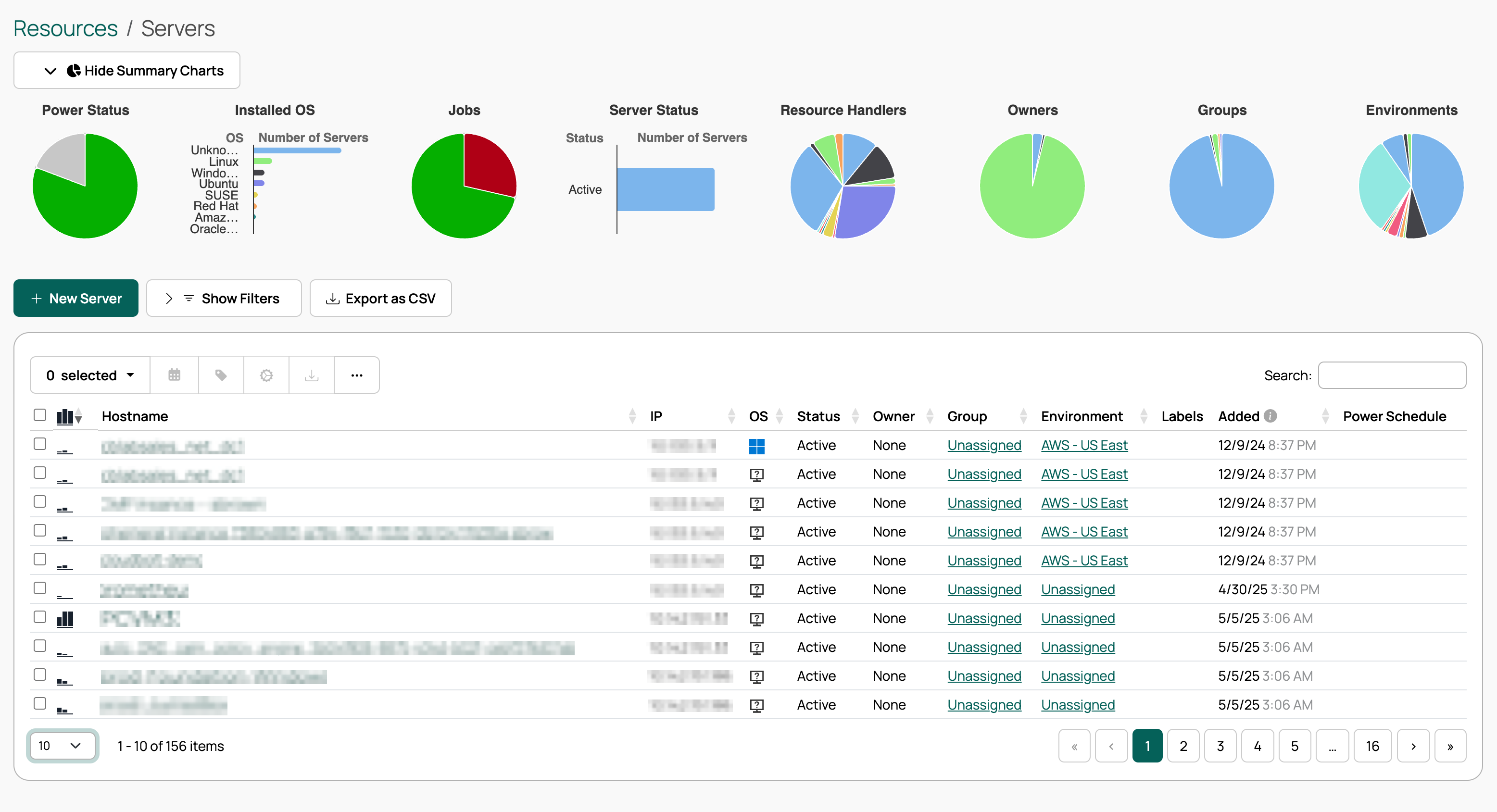 (opens full-size image in a new tab)
Customize the Order Form to change what options are available during the order process.
View server summary information in the top bar of the servers page. The statistics displayed here depend on the logged-in user’s permissions.
Servers can be found in the following modules:
| Module | Location |
|---|---|
| Environments | Servers tab |
| Groups | Servers tab |
| Networks | Servers tab |
| OS Builds | Servers tab |
| Resource Handlers | Servers tab |
| Servers | Full server list |
Cloud Management Platform (CMP) provides two ways to work with servers: a list view that shows every server you have access to, and a detail view for managing an individual server
Cloud Management Platform (CMP) offers several ways to customize virtual machines as they are provisioned, from extending disks and adding volumes to customizing open ports, passing user data, and waiting for a server to be ready
Generate Windows Sysprep Answer files to customize Windows VMs provisioned through Cloud Management Platform (CMP) resource handlers
Cloud Management Platform (CMP) supports expiring servers and resources, and configuring what happens upon expiration
Preconfigurations are predefined sets of order options to simplify the ordering process
Connect to your servers directly from Cloud Management Platform (CMP) using the browser-based Console, Remote Desktop (RDP), and SSH features
Use snapshots in Cloud Management Platform (CMP) to save the state of a server at a point in time and revert to it later
Cloud Management Platform (CMP) manages tags on your servers by linking them to CMP server attributes
Diagnose and resolve problems connecting to servers over the browser-based RDP and SSH terminal