GitHub App authentication
Authenticate a GitHub source code repository connection with an organization-owned GitHub App instead of a personal access token
3 minute read
Cloud Management Platform (CMP) connects to a GitHub or GitLab repository, so you can keep content under version control, back it up outside CMP, and reuse it across instances. Content is pushed and pulled from the object’s own page, one item at a time.
See the GitHub or GitLab documentation for more about personal access tokens. A GitHub repository can also authenticate with an organization-owned GitHub App instead. See GitHub App authentication.
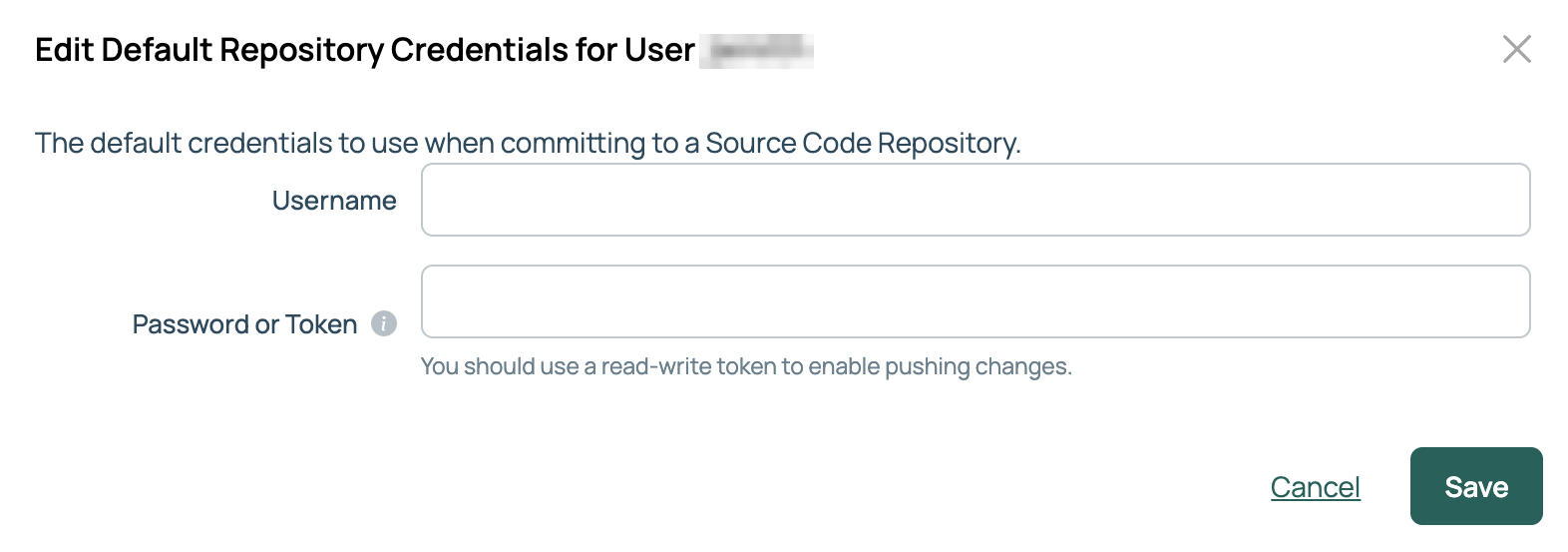
Set the credentials CMP uses when pushing commits on your behalf.
Select your user icon, then My profile.
Select the Edit icon next to Repository Credentials.
Provide the Username and a Password or Token with write access.
Select Save.
These are your own credentials, and pushes are attributed to them. They are not needed to push through a GitHub connection that uses GitHub App authentication.
Go to Admin > Source Code Repositories.
Select New Source Code Repository.
Select GitHub Repository or GitLab Repository.
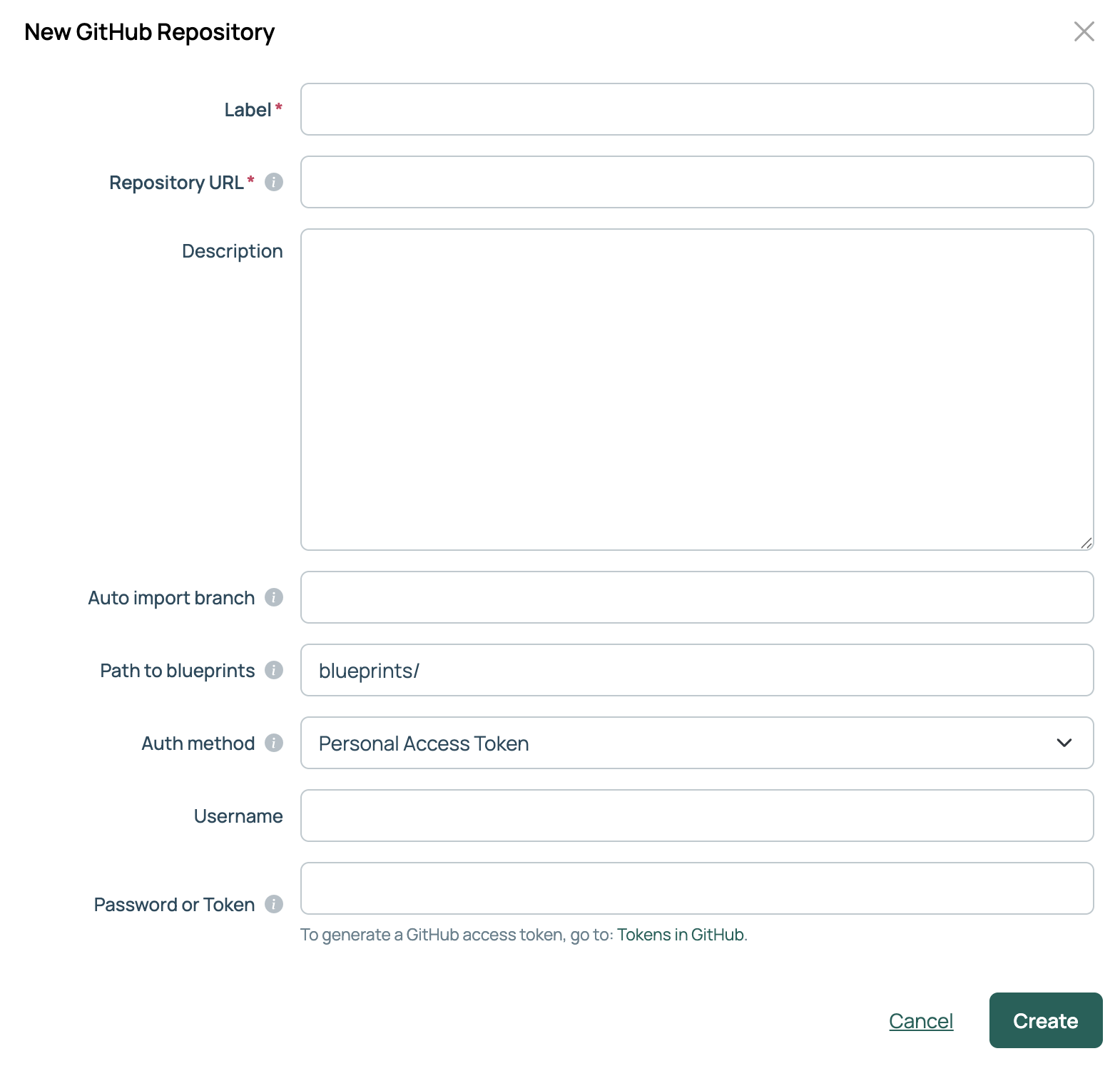
Provide a Label, such as the repository’s name in GitHub or GitLab.
Provide the Repository URL, such as https://github.com/<organization>/<repository>.
Optionally provide a Description.
Optionally name an Auto import branch. Blueprints on that branch are imported only when the Refresh Blueprints from Remote Source recurring job is enabled. On a new connection, type the branch name; when you edit the connection later, the field lists the repository’s branches.
Optionally change the Path to blueprints, the folder blueprints are read from and written to. It defaults to blueprints/.
For a GitHub repository, select an Authentication Method: Personal Access Token (the default) or GitHub App. See GitHub App authentication.
Provide a Username and a Password or Token with at least read access. If the password vault feature is enabled, Password or Token offers Locally Stored or Vault Managed; select Vault Managed to read the secret from a configured vault provider. See Use password vaults. If you selected GitHub App, select a GitHub App Credential instead.
Select Create.
Each kind of content has its own folder. Only the blueprints path is configurable on the connection; the rest are fixed.
| Content type | Folder | Topic |
|---|---|---|
| Blueprints | blueprints/ |
Blueprints as code |
| Orchestration actions | orchestration_actions/ |
Orchestration actions as code |
| Server actions | server_actions/ |
Server actions as code |
| Resource actions | resource_actions/ |
Resource actions as code |
| Flow control actions | flowcontrol_actions/ |
Flow control actions as code |
| Inbound webhooks | webhooks/ |
Inbound webhooks as code |
| Recurring jobs | recurring_jobs/ |
Recurring jobs as code |
| Continuous Infrastructure Testing tests | cit_tests/ |
Continuous Infrastructure Testing as code |
| Shared modules | shared_modules/ |
Shared modules as code |
| UI extensions | extensions/ |
UI extensions as code |
CMP also stores plugins in plugins/ and MCP tool actions in mcp_tool_actions/. Custom forms are stored in forms/ and custom form functions in form_functions/, both written when you push the blueprint or action that uses them rather than on their own.
Authenticate a GitHub source code repository connection with an organization-owned GitHub App instead of a personal access token
Synchronize blueprints with a remote source code repository
Synchronize Continuous Infrastructure Testing tests with a remote source code repository
Synchronize flow control actions with a remote source code repository
Synchronize inbound webhooks with a remote source code repository
Synchronize orchestration actions with a remote source code repository
Synchronize recurring jobs with a remote source code repository
Synchronize resource actions with a remote source code repository
Synchronize server actions with a remote source code repository
Synchronize shared modules with a remote source code repository
Synchronize UI extensions with a remote source code repository