Networking
On the order form, users choose which network each NIC connects to and how its IP address is assigned
3 minute read
The order form is what a user completes when ordering a blueprint from the Catalog, or when selecting New Server to provision an ad hoc server. The form’s content and the choices it offers are shaped by the parameters, options, and constraints that admins define for groups, environments, and blueprints. You can also replace a blueprint’s order form with a custom form.
| Task | Topic |
|---|---|
| Add a field for a group or environment | Parameters, Group and environment parameters |
| Add a field or set options for one blueprint | Blueprint-level parameters |
| Limit a field to a list of choices | Static options |
| Generate a field’s choices with a plugin | Generated parameter options |
| Set a minimum, maximum, or regular expression | Constraints |
| Show or hide a field based on another field | Dependencies |
| Change the order of fields | Parameter display sequence |
| Name new servers | Hostname specification |
| Set server annotations | Annotations specification |
| Offer small, medium, and large sizes | T-shirt sizing for VMs |
| Choose which networks each NIC can use | Networking |
| Let users order for someone else | Order on behalf of a recipient user |
| Show what an order will cost | Rates |
| Check values against an external system | Custom validation |
| Replace the order form with one you build | Custom forms |
The choices available on the order form are determined by the selected group and target environment.
The form shows the parameters added to the group, the environment, and the blueprint. When a blueprint sets options for a parameter, the form offers only those options. Otherwise, it offers the options from both the group and the environment. For the full rules, including constraints and generated options, see How option order is determined.
Newly created environments don’t appear on the order form until they’re associated with one or more groups. To automatically assign new environments to all groups, disable Restrict New Environments in Miscellaneous settings.
Subgroups inherit their parent group’s parameters, options, and constraints, so you can manage orders for many groups from one parent group. See Subgroup inheritance of parameters.
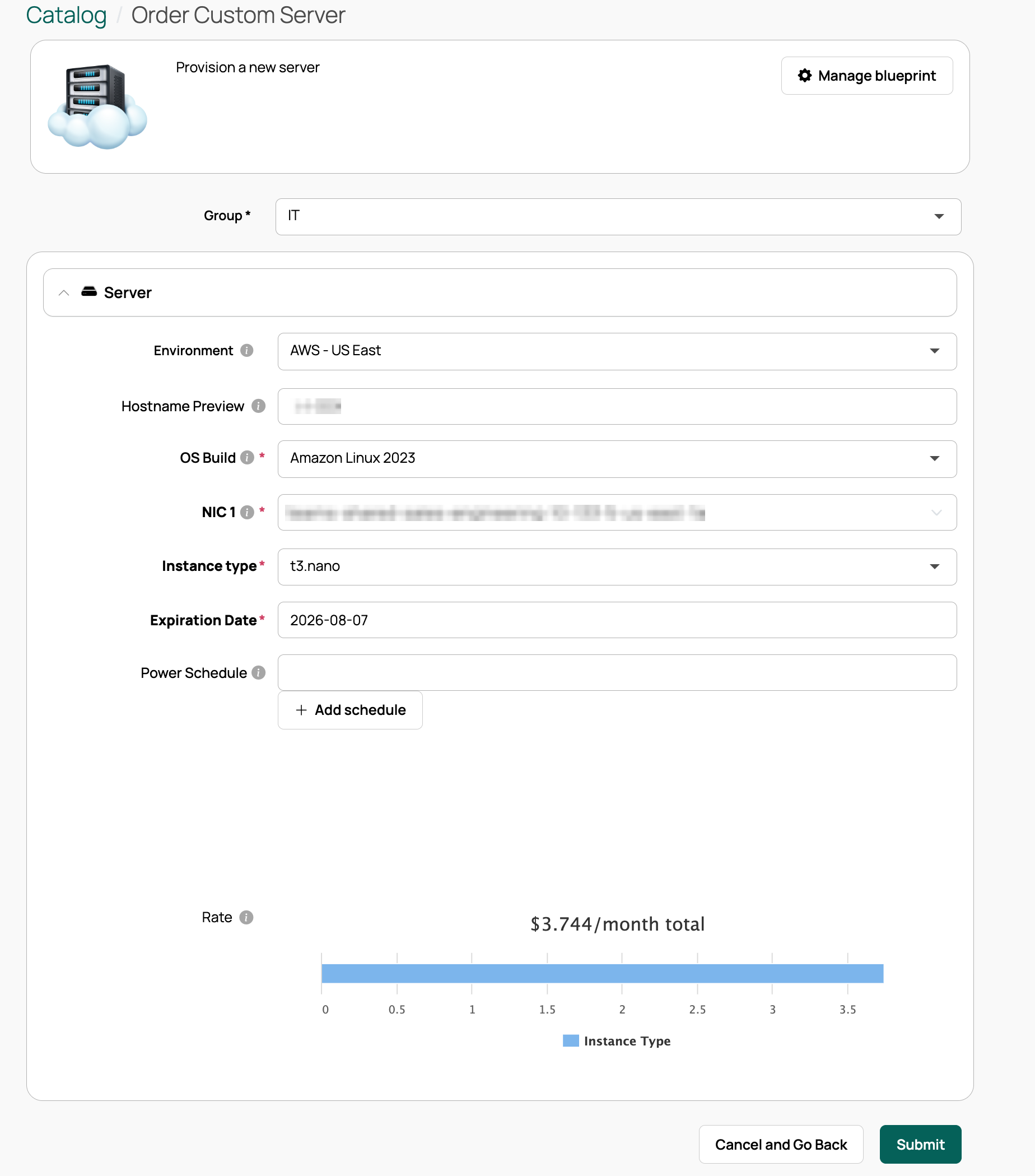
The example below shows the order form for a custom server in Catalog > New Server, with the parameters and options determined by the selected group and environment.
 (opens full-size image in a new tab)
For advanced order form validation, such as checking values against an external system, use the trigger points in Admin > Orchestration Actions > Order Related:
Cloud Management Platform (CMP) ships with a sample plugin that documents the inputs and return values to implement. Custom forms use the same trigger points.
On the order form, users choose which network each NIC connects to and how its IP address is assigned
Assign an order’s servers and resources to a recipient other than the person placing the order
Provide friendly compute sizing options when ordering servers