System status
2 minute read
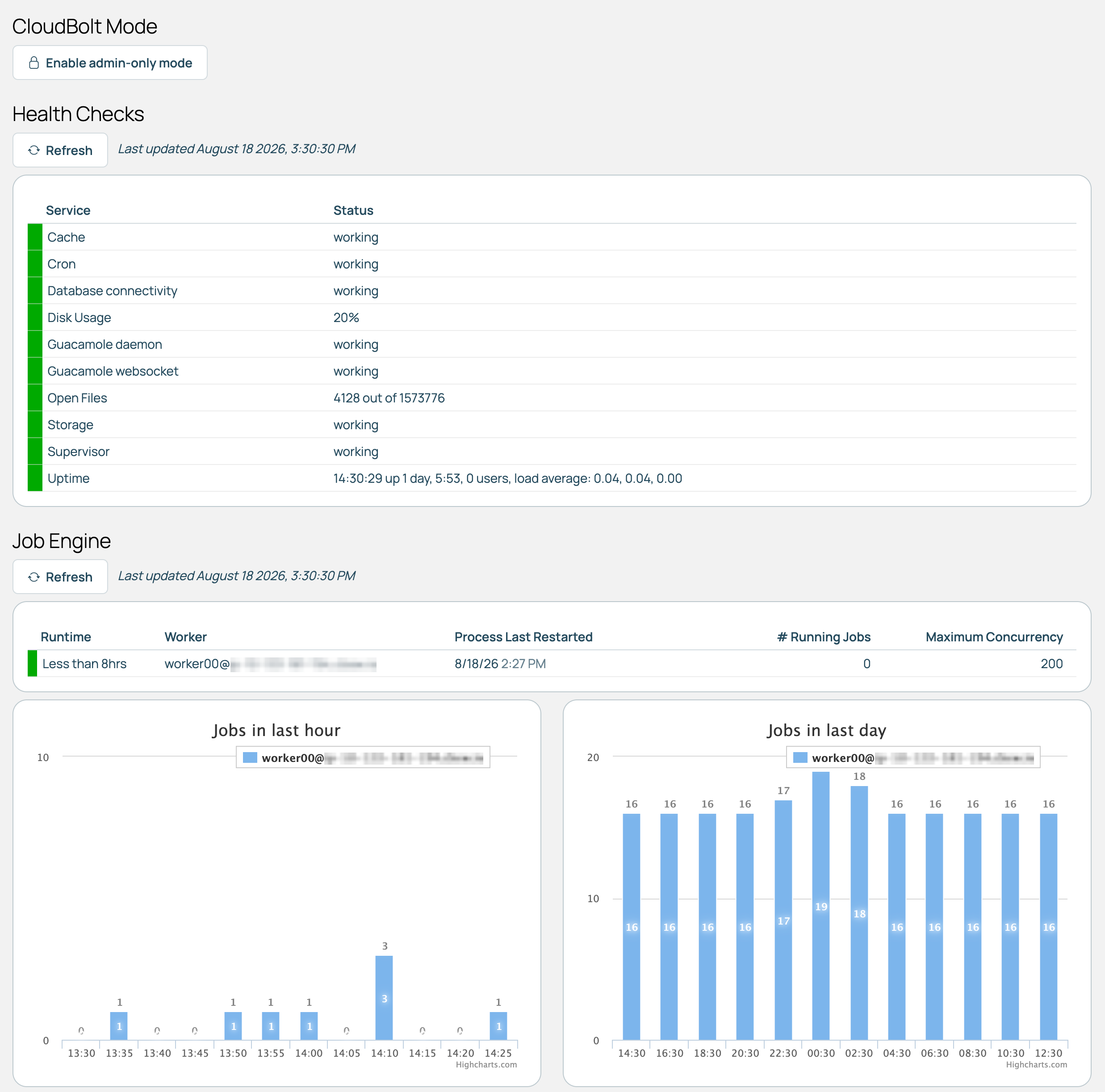
Go to Admin > System Status. The page is limited to CB Admins and Super Admins.
 (opens full-size image in a new tab)
Admin-only mode
Under CloudBolt Mode, Enable admin-only mode stops anyone who is not a CMP admin from logging in or using CMP until disabled. The button becomes Disable admin-only mode while enabled.
Jobs are unaffected, including scheduled and recurring ones. To stop those, use maintenance mode.
Health checks
The state of each service and resource CMP depends on. Every check runs when you load the page, so the results are up to date.
| Check | What it covers |
|---|---|
| Cache | Whether the cache accepts and returns a value. |
| Cron | Whether the scheduler that triggers the appliance’s timed commands is running. |
| Database connectivity | Whether CMP can read from and write to its database. |
| Disk Usage | How much disk space the appliance has left. |
| Guacamole daemon | One of the two services behind remote console access. Consoles fail to open if it is not running. |
| Guacamole websocket | The second service behind remote console access. Consoles fail to open if it is not running. |
| Multi-tenancy Data Integrity | Consistency of tenant data. Appears only for users whose profile shows tenant information. |
| Open Files | How many file handles are open. Climbs toward the system limit when something is leaking them. |
| Storage | Whether CMP’s file storage can be written to and read back. |
| Supervisor | Whether the service manager that runs the job engine is running. |
| Uptime | How long the appliance has been up. |
Job engine
Every job engine worker whose record was updated within the last day, listed by hostname. Refresh reloads the table.
Each worker is color-coded by how long it has been since it last restarted. Workers normally restart every minute or so, so a last restart measured in hours means the engine has stopped recycling, whatever color the row shows.
| Color | Time since the worker last restarted |
|---|---|
| Green | Under 8 hours. |
| Yellow | 8 to 16 hours. |
| Orange | 16 to 24 hours. |
Below the table, graphs show job counts per worker over the last hour and over the last day.
Related
- Job engine: What the workers on this page do and the settings that control them.
- Job engine troubleshooting: What to do when workers are stale or jobs are stuck.
- Maintenance mode: Stops the job engine and the UI.
- Infrastructure health checking with CIT: Testing that your infrastructure works.