Override or hide built-in tabs
replaces parameter in a UI extension’s @tab_extension decorator to replace or hide a built-in tab4 minute read
By default, tab extensions are appended to the end of the tab list on a detail view. With the replaces parameter, you can instead target a specific built-in tab by its slug, and either replace it with your extension tab or hide it entirely.
This feature applies to the following detail views:
- User profiles
- Groups
- Environments
- Servers
- Resource handlers
- Resources
- Blueprints
The examples on this page are using the Scheduled Snapshots UI extension.
Prerequisites
Before you begin, ensure:
- A UI extension is imported and enabled
- You have SSH access to the Cloud Management Platform (CMP) instance with root permissions
Find a tab slug
Each built-in tab has a slug that identifies it. To find a slug, hover over a tab in the CMP UI and look at the URL fragment in the browser status bar. The slug is the portion that follows tab-.
For example, hovering over the History tab shows #tab-history in the status bar — the slug for the History tab is history.
Replace a built-in tab
Add the replaces parameter to your UI extension’s @tab_extension decorator, passing the slug of the built-in tab you want to replace.
-
SSH into your CMP instance as root.
-
Open the UI extension’s
views.pyfile for editing, for example:vim /var/opt/cloudbolt/proserv/xui/scheduled_snapshots/views.py -
Locate the
@tab_extensiondecorator. -
Using the tab slug to replace, append
replaces="<tab-slug>", for example:@tab_extension(model=Server, title="Snapshots", description="Manage scheduled snapshots", delegate=ScheduledSnapshotsTabDelegate, replaces="history") -
Locate the tab extension’s delegate class, for example,
ScheduledSnapshotsTabDelegate, and confirm thatshould_displayreturnsTruefor the target object. -
Save and exit the file.
-
Restart the Apache HTTP Server:
systemctl restart httpd -
In the CMP UI, go to a view to see the result.
Result: The built-in tab is removed, and your extension tab appears in its position.
In this example, the built-in History tab is replaced by the Snapshots tab from the Scheduled Snapshot UI extension.
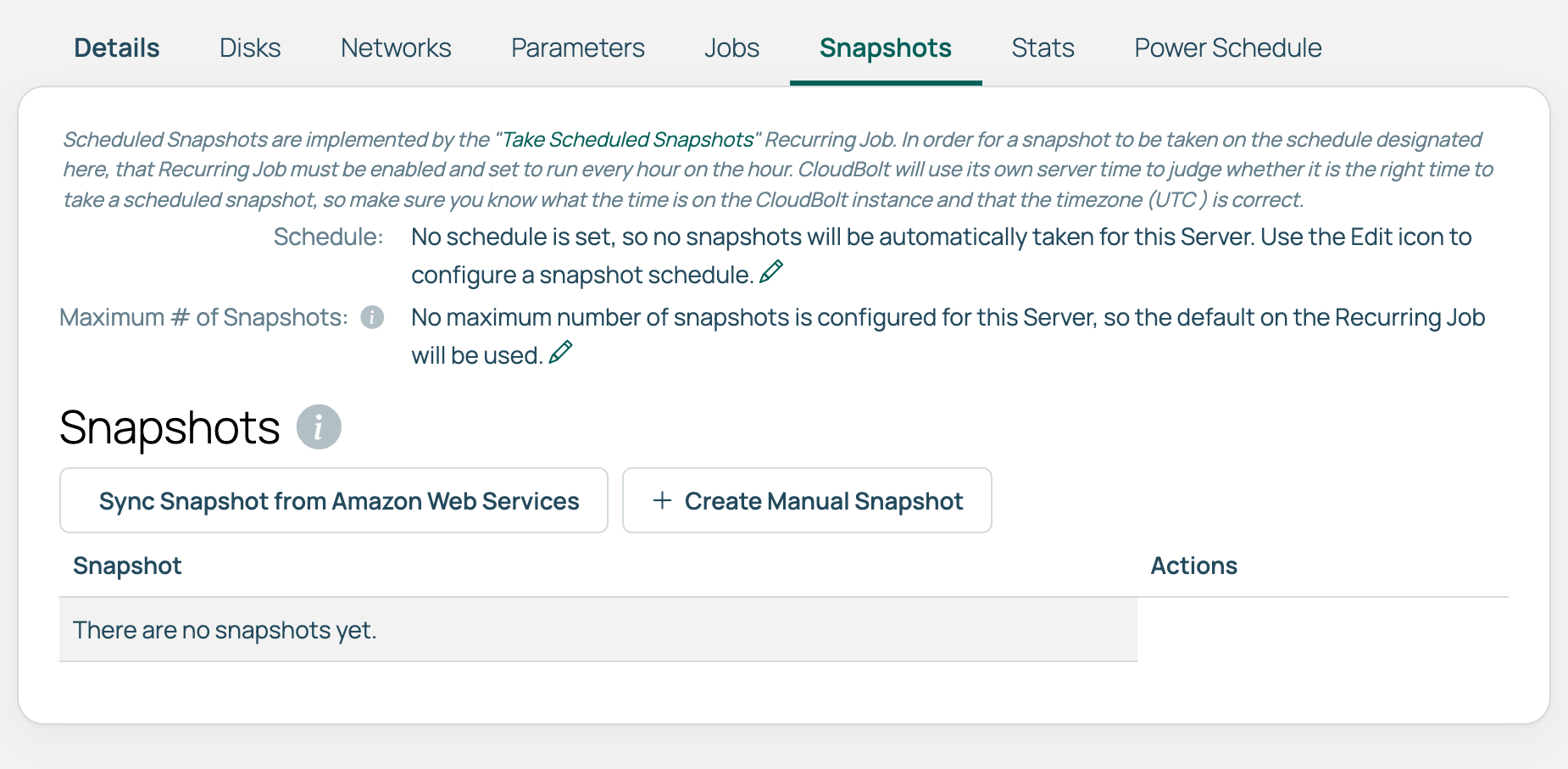 (opens full-size image in a new tab)
If multiple extensions declare the same replaces slug, the last processed extension takes effect, and a warning is logged. Check your logs if a replacement is not behaving as expected.
Hide a built-in tab
To remove a built-in tab without replacing it with anything, use replaces together with hide_ootb_tab=True, and have should_display return False.
hide_ootb_tab is only evaluated when the should_display method in the tab extension’s delegate class returns False.
-
SSH into your CMP instance as root.
-
Open the UI extension’s
views.pyfile for editing, for example:vim /var/opt/cloudbolt/proserv/xui/scheduled_snapshots/views.py -
Locate the
@tab_extensiondecorator. -
Using the tab slug to hide, append
replaces="<tab-slug>", hide_ootb_tab=True, for example:@tab_extension(model=Server, title="Snapshots", description="Manage scheduled snapshots", delegate=ScheduledSnapshotsTabDelegate, replaces="history", hide_ootb_tab=True) -
Locate the tab extension’s delegate class, for example,
ScheduledSnapshotsTabDelegate, and setshould_displayto returnFalsefor the target object. -
Save and exit the file.
-
Restart the Apache HTTP Server:
systemctl restart httpd -
In the CMP UI, go to a view to see the result.
Result: The built-in tab is hidden, and the UI extension tab is not displayed.
In this example, the built-in History tab is hidden, and the Snapshots tab of the Scheduled Snapshot UI extension is not displayed.
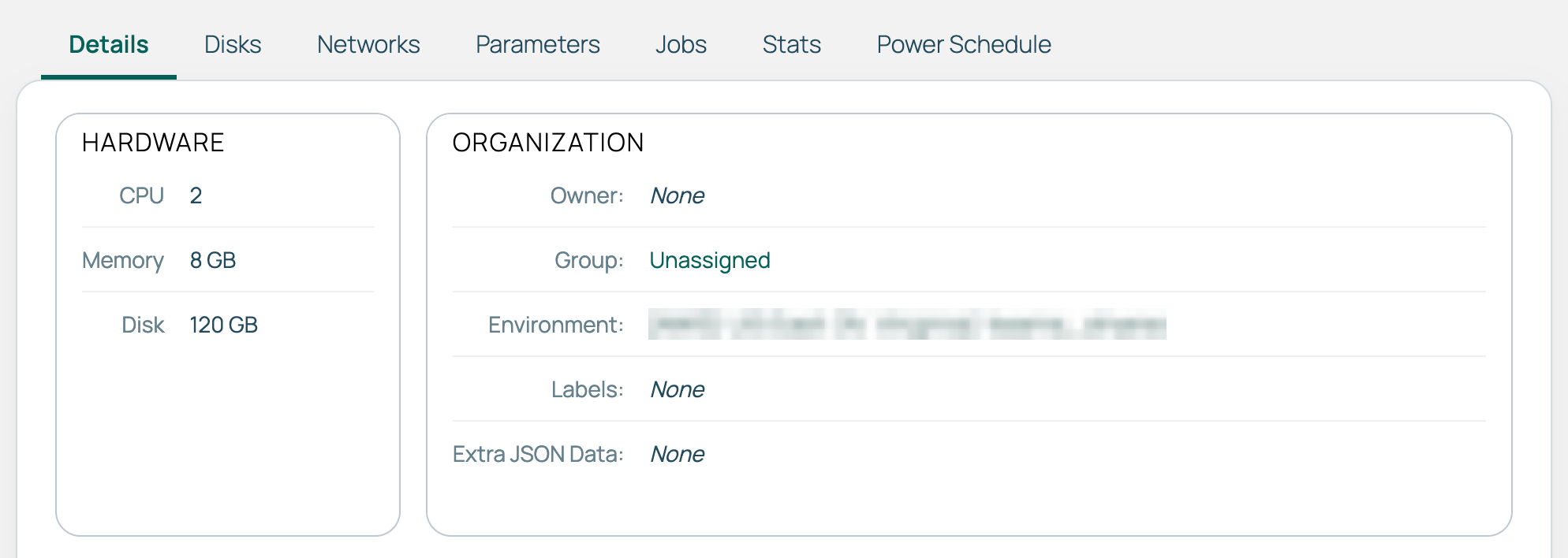 (opens full-size image in a new tab)
Behavior reference
Overview of scenarios and results when using the replaces parameter:
| Scenario | Result |
|---|---|
replaces not set |
The extension tab is appended to the tab list. |
replaces matches a built-in tab slug and should_display returns True |
The built-in tab is replaced by the extension tab. |
replaces matches a built-in tab slug, should_display returns False, and hide_ootb_tab=True |
The built-in tab is hidden, and no replacement tab is shown. |
replaces matches a built-in tab slug, should_display returns False, and hide_ootb_tab=False |
The built-in tab is kept, and no extension tab is shown. |
replaces does not match any built-in tab slug. |
The extension tab is appended, and a warning is logged. |
Multiple extensions use the same replaces slug |
The last-processed extension is used, and a warning is logged. |