AWS GovCloud (US) and AWS China
3 minute read
Both connect to their own AWS partition rather than the commercial one, and both are limited to that partition’s regions. Cloud Management Platform (CMP) creates one environment for each VPC in each region you import, exactly as it does for Amazon Web Services. Anything not described here, including the permissions AWS needs to grant and the AWS parameters on each environment, is on the AWS page.
What differs from a commercial AWS handler
- Credentials always consist of an access key and a secret key. Neither technology offers the Credentials Type choice, so IAM Role, Roles Anywhere, ADFS, and IAM Auto Discovery are not available. You can still name an IAM Role ARN for CMP to assume.
- GovCloud needs a second, commercial credential pair for billing. A GovCloud account does not maintain its own billing data; an associated commercial account does, and CMP reads the cost and usage reports using that account’s keys.
- AWS China has no billing. The Billing and Reserved Instances tabs are not offered.
Set up an AWS GovCloud (US) handler
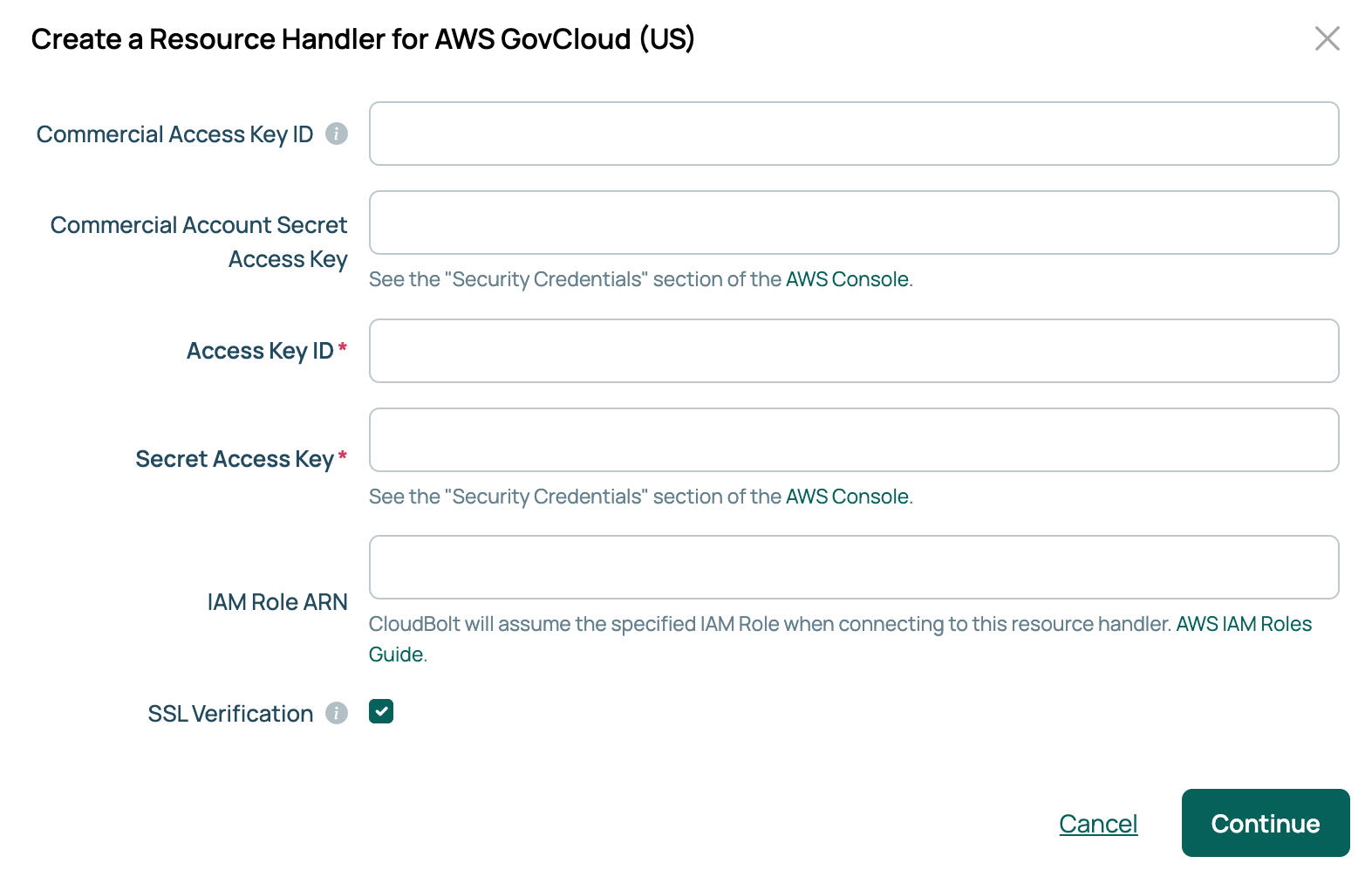
Before you start, collect four credentials: the Access Key ID and Secret Access Key for the GovCloud account, and the Commercial Access Key ID and Commercial Account Secret Access Key for the commercial account that holds the billing bucket. For billing, you also need an S3 bucket in that commercial account configured to receive cost and usage reports. See AWS Cost and Usage Reports.
- Go to Admin > Resource Handlers and select Add.
- Select the AWS GovCloud (US) tile. Use the Filter providers box if you do not see it.
- Enter the four credentials. Optionally enter an IAM Role ARN for CMP to assume in the target account.
- Select Continue.
- Enter a Name, select at least one entry under Available Regions, and enter the commercial account’s bucket name under S3 billing bucket.
- Select Done.
If the password vault feature is enabled, both secret keys offer Locally Stored or Vault Managed. Select Vault Managed to read a key from a configured vault provider. See Use password vaults.
 (opens full-size image in a new tab)
An AWS China handler is the same, without the commercial pair and the billing bucket.
Import regions and AMIs
A new handler imports the regions you selected. To add more later, open the handler’s Regions tab and select Import regions. One environment is created for each VPC in each region.
AMIs are imported from the handler’s AMIs tab. The procedure is the same as for a commercial account: see Import AMIs.
Import billing data
This applies only to AWS GovCloud (US). The Billing and Reserved Instances tabs are behind the resourcehandler::billingtab feature, which is disabled by default. See Resource handlers for how to enable a feature.
- Confirm the handler’s S3 billing bucket names the bucket in the commercial account.
- Go to Admin > Recurring Jobs and run Import Public Cloud Billing Data. It is enabled and runs at 2:00 AM on the first of each month; run it on demand to pick up existing data.
- When the job succeeds, open the handler’s Billing tab.
Set up the environments
Each environment CMP created needs a group and networks imported before anyone can order from it.
- Open an environment from the handler’s Overview tab.
- On the Groups tab, select Edit and add the groups that may use the environment.
- On the Networks tab, select Import VPC Subnets.
The environment’s AWS Parameters tab carries the same parameters as any AWS environment, listed under Environments and AWS parameters.
Related
- AWS: adding a handler, AWS permissions, environments, billing, and volumes.
- Import AMIs: bring AMIs into CMP as OS builds.
- Use password vaults: storing the secret keys in HashiCorp Vault, CyberArk, Keeper, AWS Secrets Manager, or Azure Key Vault.