Alibaba Cloud
5 minute read
Adding the handler creates a Cloud Management Platform (CMP) environment for the region. Before ordering a server, import at least one image and one network into that environment.
Before you begin
Collect an access key pair and decide which region the handler connects to. A handler covers one region, so add a handler for each region you use.
- Log in to the Alibaba Cloud user center.
- Select Create AccessKey, then Save AccessKey Information.
- Keep the downloaded CSV file. It holds the Access Key and the Access Key Secret.
Add an Alibaba Cloud resource handler
-
Go to Admin > Resource Handlers, select Add, then select Alibaba Cloud, under Public Cloud.
-
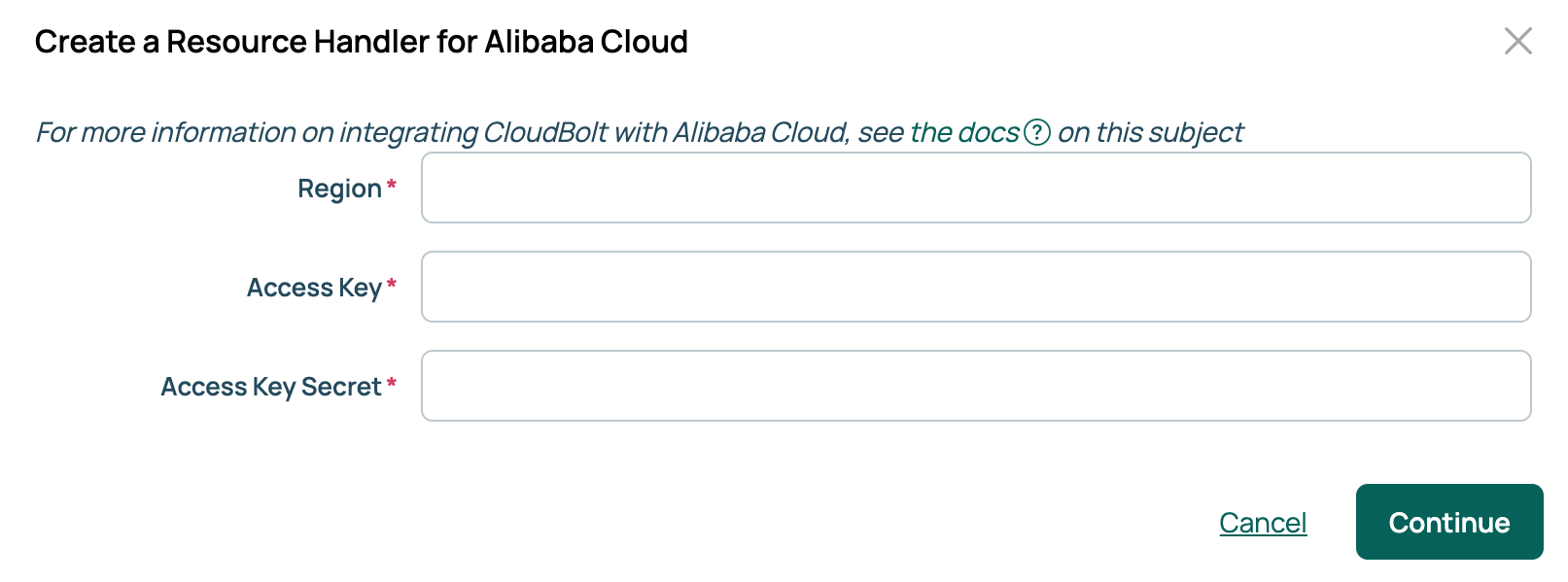
Enter the Region, Access Key, and Access Key Secret, then select Continue.
-
Enter a name and an optional description, then select Done.
CMP opens the new handler and creates an environment for the region. Work through the tabs in the order below. The Servers, Compute Limits, and History tabs fill in once orders exist.
Import images
An environment needs at least one image to build a server.
- On the handler, open the Images tab and select Import Images.
- Select the images you want, then select Import selected Images.
Once an image exists, set its OS build, environments, and credentials from the same tab.
Import networks
An environment needs at least one network to build a server.
- On the handler, open the Networks tab and select Import Networks.
- Select the networks you want, then select Import selected networks.
To control which environments a network serves, open the network and select Edit on its Environments tab. Networks are not added from the environment side.
Tag Alibaba resources
CMP tags the resources it creates during provisioning. Map a tag to a CMP server attribute. The tag’s value follows that attribute.
- On the handler, open the Tags tab and select Add.
- In Add a Tag, choose the Parameter that supplies the value, give the tag a name, and select Add.
The Syncing column indicates the direction the tag travels. Bidirectional means a change in either Alibaba Cloud or CMP updates the other. Out Only means CMP updates Alibaba Cloud only. When the attribute is group or owner, you can switch between the two.
Tag behavior
- Tags are set during provisioning based on the order’s attributes.
- Tags are imported when a VM is first discovered, and updated by Sync VMs if they already exist in CMP.
- Tags are synced by the Refresh Info action on a server.
- Changing an attribute’s value in CMP updates the matching tag in Alibaba Cloud.
- Removing a tag mapping leaves the existing tags in place, both in Alibaba Cloud and on the server.
For how tagging works across CMP, see Tags.
Configure the environment
Configure the CMP environment before ordering a server. Open the handler’s Overview tab and select the environment in the Environments row, then set the following:
| Tab | What to set |
|---|---|
| Groups | Required. Select Edit, choose the groups that can order into this environment, then select Save. |
| OS Builds | Required. Select Edit, choose the OS builds, then select Save. |
| Parameters | Optional. Set values for the Alibaba parameters below, or add any other CMP parameter. |
| Limits | Optional. Cap the compute this environment can consume. |
Alibaba Cloud parameters
Adding the handler imports these parameters. They appear on the order form for the environment. Set defaults or restrict their options on the environment’s Parameters tab.
| Parameter | Description |
|---|---|
| Zone | Required. The Alibaba zone the instance is created in. Chosen from the zones available in the handler’s region. |
| Instance Type | Required. Defines the CPU, clock speed, and memory of the instance. On an order form, the list narrows to the instance types available in the selected zone. |
| Security Group | Required. A group of instances in the same region that share security rules. On an order form, the list narrows to the security groups available for the selected network. |
| Alibaba Credential Type | Required. Choose whether to access the instance with a key pair or a password. Whichever you choose, supply the matching parameter below. |
| Alibaba Key Pair | Required. The SSH key pair to place on the instance, chosen from the SSH keys available to this handler. |
| Alibaba Login Password | Required. The password Alibaba sets on the instance. It must be 8 to 31 characters and combine at least three of: uppercase letters, lowercase letters, digits, and special characters. A Windows password cannot start with a forward slash. |
| Allocate Public IP? | Assigns a public IP address to an instance inside a VPC. When enabled, Internet Max Bandwidth Out is required. |
| Internet Max Bandwidth Out | Required. Maximum outbound internet bandwidth in Mbps, from 1 to 100. |
| Alibaba Disk Category | The type of disk the instance uses. On an order form, the list narrows to the disk categories supported by the selected instance type. |
| Alibaba Resource Group | The Alibaba resource group to provision into. |
| Security Hardening | Asks Alibaba to apply security hardening to the instance. Alibaba applies it only to images that support it. |
| Alibaba User Data | User data passed to the instance, which can run scripts after it starts. See Customize VMs during provisioning. |
Related
- Resource handlers: the technologies CMP connects to, and how to add one.
- SSH keys: how CMP stores key material and which handlers use it.
- Customize VMs during provisioning: what you can pass in Alibaba User Data.