DNS module best practices
Best practices for OneFuse DNS validation when used with Naming, IPAM, and standalone
2 minute read
Use the OneFuse DNS module to manage DNS policies by Endpoint Type using the DNS dashboard.
Create a Module Credential and Endpoint for the selected technology.
DNS defaults can be set up at the Endpoint level. Network Views can be set up for different use cases and can include templated values. Every DNS Policy execution for an Endpoint with defaults will use those defaults.
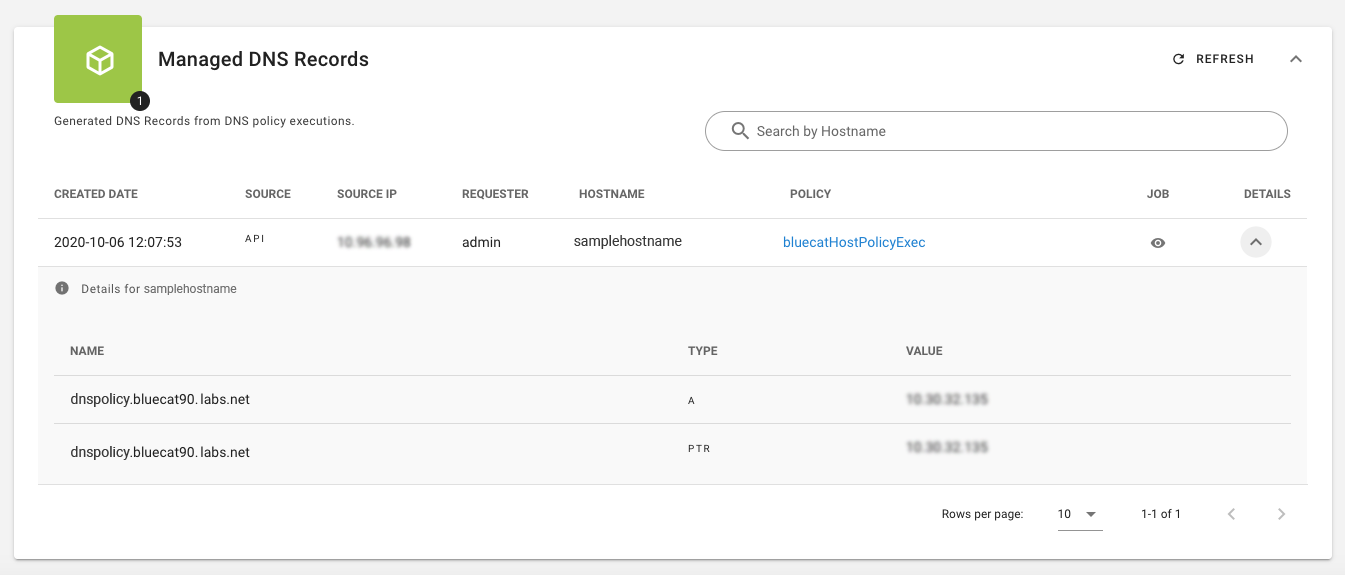
Use the Managed DNS Records dashboard to review DNS records reserved by executing a DNS Policy.
 (opens full-size image in a new tab)
OneFuse supports asynchronous calls to DNS. To view job status, see the API.
| Field | Description |
|---|---|
| DNS Policy Name | Enter a name for this DNS Policy. |
| Description | Optional description for this DNS Policy. |
| General | |
| Endpoint Type | Select the Endpoint Type for this DNS Policy. |
| Endpoint | Select the desired OneFuse Endpoint. |
| Record settings | |
| Record Type | Select at least one Record Type based on your needs. |
| Create A Record | Select the toggle to resolve an FQDN to an IP address. |
| Create PTR Record | Select the toggle to resolve an IP address to an FQDN. |
| Create CNAME Record | Select the toggle to create a CNAME record. Creating a CNAME record is mutually exclusive with creating Host (Infoblox), A, and PTR records. During POST /dnsReservation for a CNAME DNS Policy, provide the CNAME (A Record) as the value of the body field value. See example below. |
| Validation settings | |
| Post-Validation Sleep Seconds | Enter the number of seconds to sleep before post-validating DNS entries. Templatable field. |
| DNS Validation Timeout Seconds | Enter a value in seconds after which DNS validation will timeout. Templatable field. |
| Advanced | |
| Hostname Override | Optional. Enter a Hostname Override. The variable is {{request.hostname}}. If no hostname override is desired, use the default value. |
Recommend having one DNS Policy for Host (Infoblox), A, and/or PTR records, and a separate DNS Policy for CNAME records.
CNAME DNS reservation example:
{
  "name": "<Hostname (shortname)>",
  "value": "<CNAME A Record Value (FQDN)>",
  "zones": ["example.com", "example.io"],
  "policy": "/api/v3/onefuse/dnsPolicies/<dnsPolicyId>/",
  "workspace": "{{workspaceUrl}}",
  "templateProperties": {}
}
Best practices for OneFuse DNS validation when used with Naming, IPAM, and standalone
Configure OneFuse DNS policies for BlueCat
Configure OneFuse DNS policies for Infoblox
Configure OneFuse DNS policies for Men&Mice Micetro
Configure OneFuse DNS policies for Microsoft DNS