Concepts
Core concepts that underpin how OneFuse works, including modules, policies, jobs, and workspaces
CloudBolt continues to license OneFuse software with support for VMware Aria Automation (formerly VMware vRealize Automation) up to version 8.x. Newer versions of VMware Cloud Foundation Automation are supported through CloudBolt’s Cloud Management Platform.
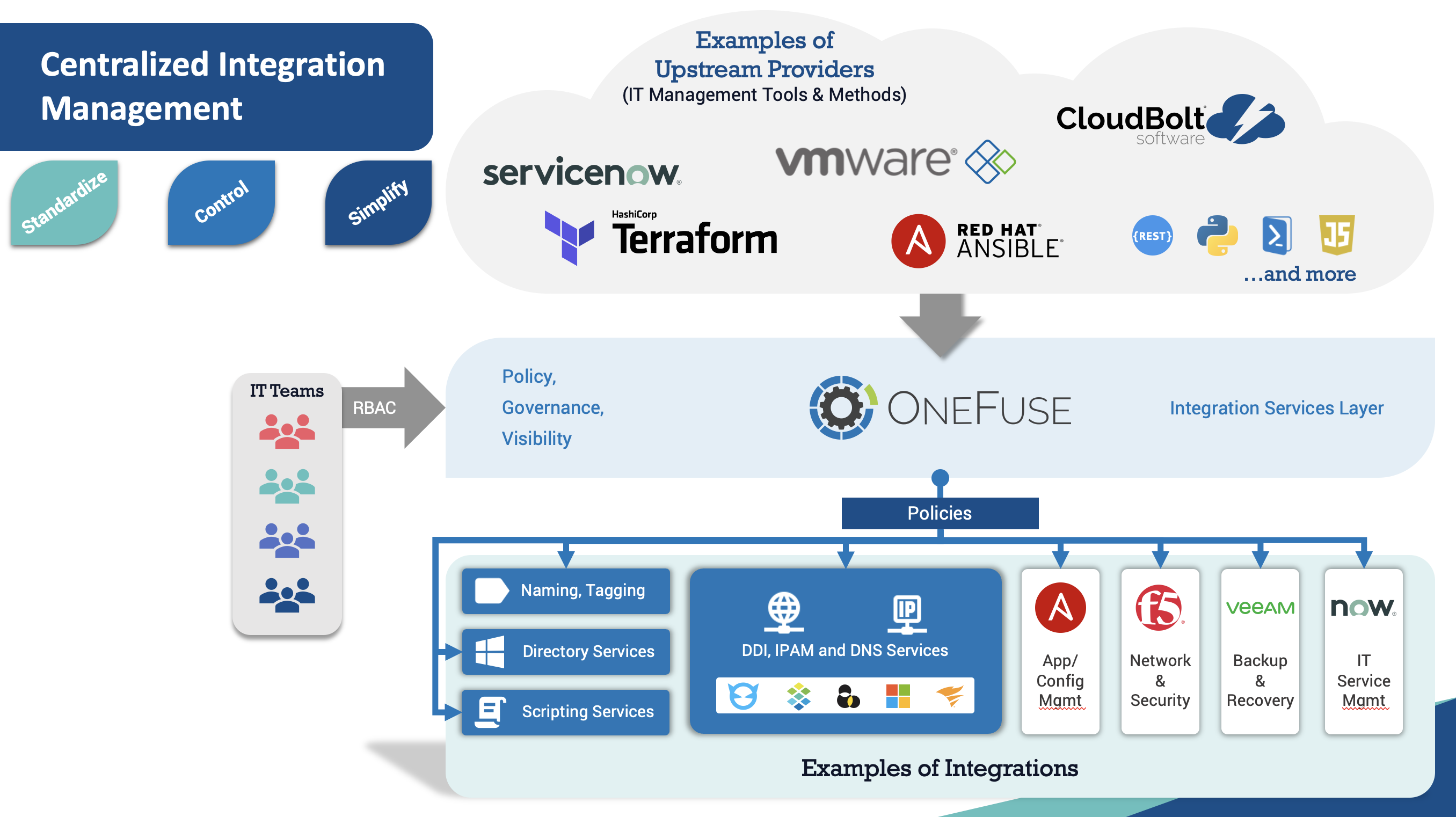 (opens full-size image in a new tab)
Looking for documentation on SovLabs Plug-in for VMware’s vRealize Automation 7? Visit docs.sovlabs.com
Core concepts that underpin how OneFuse works, including modules, policies, jobs, and workspaces
Install, configure, upgrade, and maintain the OneFuse appliance
Access the OneFuse UI, manage your license, configure roles, and troubleshoot common issues
Configure OneFuse modules, endpoints, credentials, and policies
Integrate OneFuse with upstream providers including CloudBolt CMP, Terraform, Python, Ansible, and VMware Aria Automation
Reference guide for OneFuse Jinja2 templating, including expressions, filters, tests, control structures, and Property Toolkit features
Product support lifecycle and compatibility information
What’s new in each OneFuse release