Tracking ServiceNow Connector deployments
View and manage ServiceNow Connector deployments tracked by OneFuse
Track deployments created by ServiceNow Connector Policy executions. While executing, you can track progress in the Jobs log.
View deployments in OneFuse
- Log in to the OneFuse UI.
- Select Modules > ServiceNow Connector from the left navigation menu.
- Scroll down to ServiceNow Connector Deployments. Each deployment shows:
- Created Date
- Source
- Source IP
- Requester
- Policy
- Child Policy
- Managed Object
- Link to Job
- Link to Job Tracking ID
- Select Details to view:
- OneFuse Policy Type
- Link to Deployment CI in ServiceNow
- OneFuse Managed Object HREF
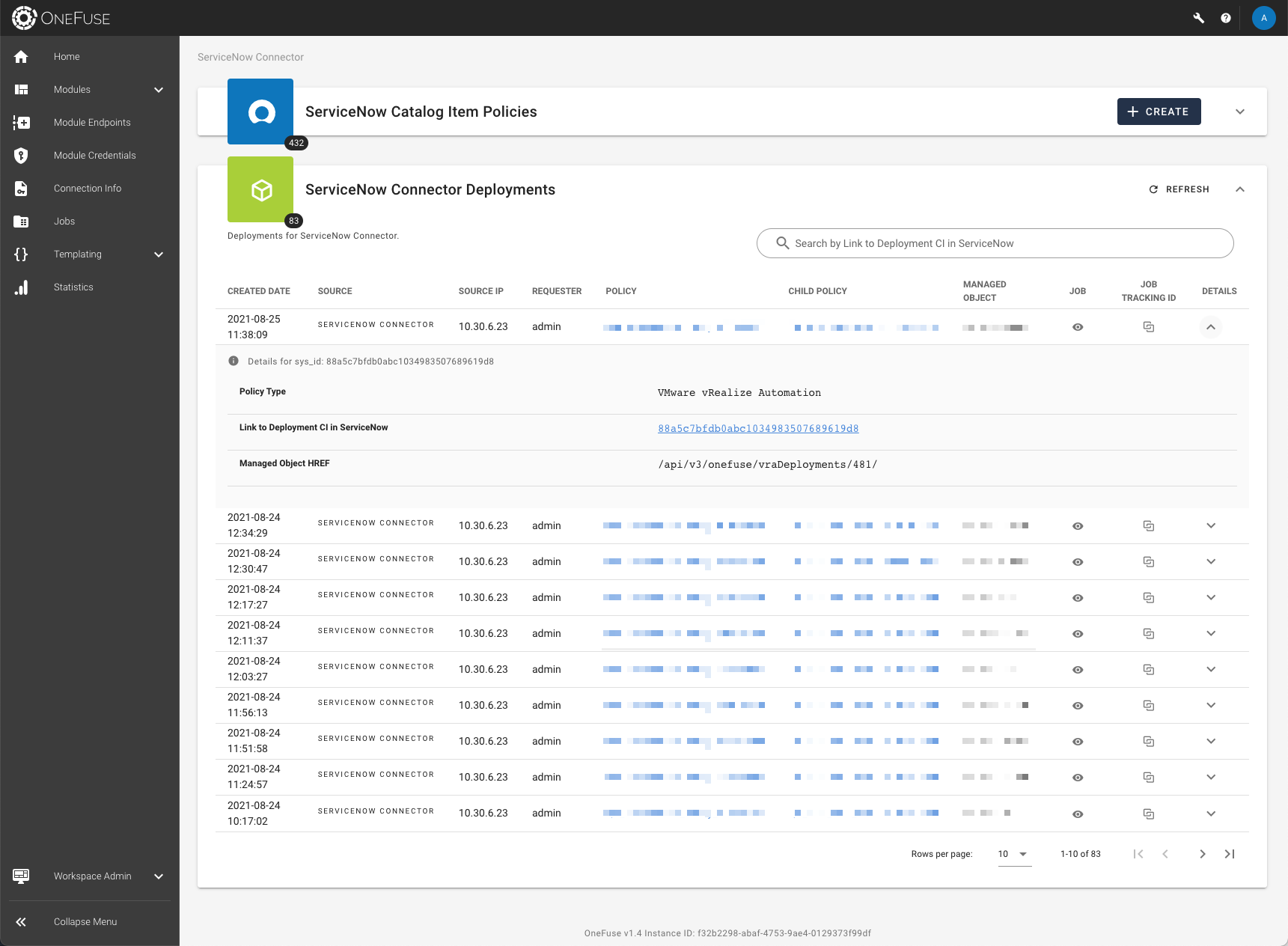 (opens full-size image in a new tab)
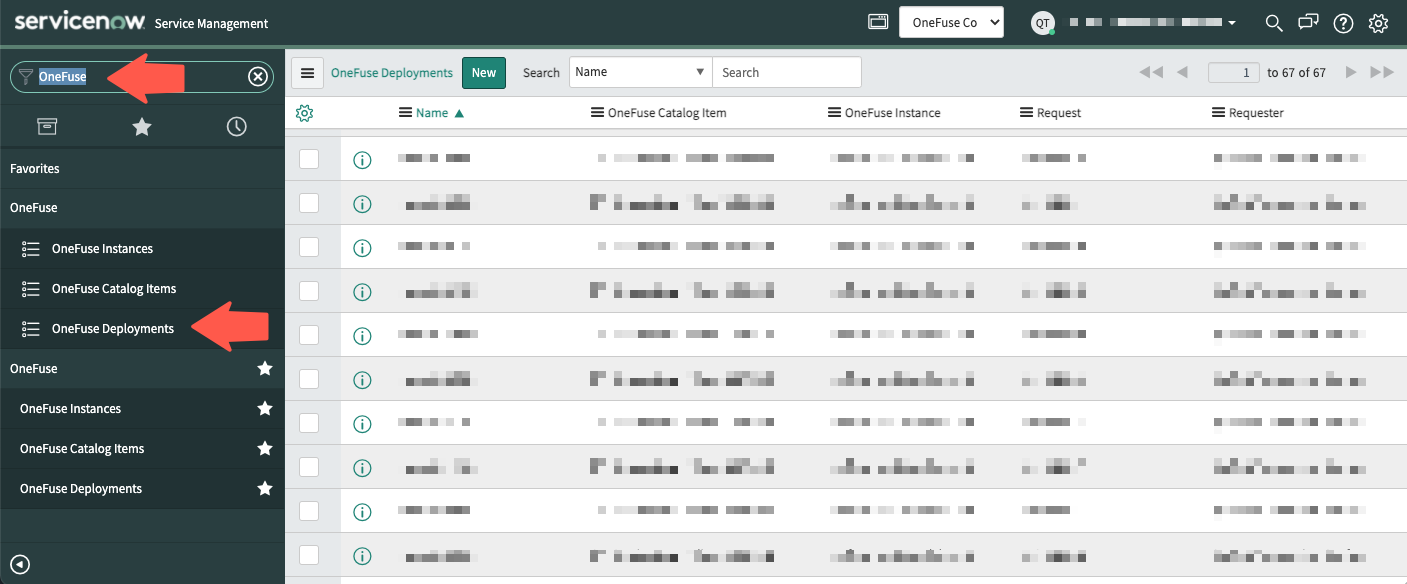
View deployments in ServiceNow
-
Log in to your ServiceNow instance.
-
On the left navigation menu, find and select the OneFuse menu folder.
-
Select OneFuse Deployments.
-
A list of all OneFuse Deployments will be displayed.