Manage roles
2 minute read
The CloudBolt Platform provides a role-based access control (RBAC) model to manage user privileges within each organization. Roles determine available components and actions, enabling fine-grained control across cloud cost, operations, and user management workflows. Users can have different roles in different organizations, but only one role per organization.
Permissions
Roles in the CloudBolt Platform consist of permissions that define the allowed actions. Permissions are granted at three hierarchical levels:
| Level | Description |
|---|---|
| Owner | Full access: create, read, update, and delete resources. |
| Editor | Read and update access: cannot create or delete resources. |
| Viewer | Read-only access to resources. |
Permissions are not assigned directly to users. Users receive permissions through assigned roles.
Roles
The CloudBolt Platform has four predefined roles, each designed to support a different persona within a FinOps organization:
| Role | Description |
|---|---|
| Admin | Full administrative access, including user and organization management capabilities. |
| Operations | Full control over cloud provider management. No access to cost data. |
| Practitioner | Full access to dashboards and cost reporting. |
| Stakeholder | View-only access to dashboards and cost reports. |
For a full breakdown of which specific pages and settings each role can access, see Roles and permissions.
Change a user’s role
To change the role for a user in a CloudBolt Platform organization:
-
Log in to the CloudBolt Platform as a user with the Owner permission. The address depends on where your organization’s tenant is hosted; see Sign in.
-
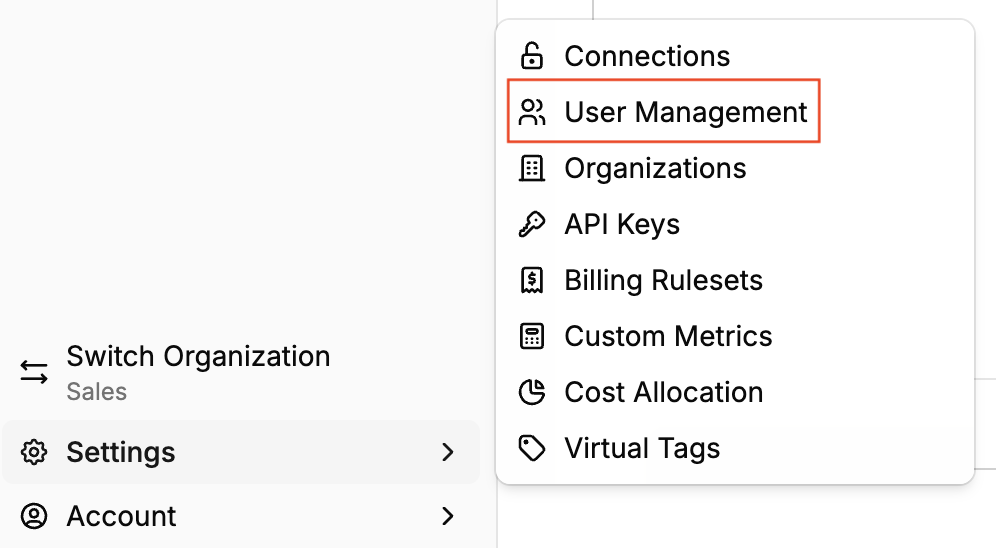
Select Settings in the lower-left corner.
-
In the Settings menu, select User Management.
-
Locate a user by navigating the list or typing a name or email address into the search box.
-
Select within the box containing the current role in the row for the user.
-
From the role drop-down menu, select an appropriate role. Options: Admin, Operations, Practitioner, Stakeholder. A pop-up confirms the change.