# ServiceNow
> Route Cloud Management Platform (CMP) order requests through ServiceNow for approval using the ServiceNow Service Catalog integration
---
Site [llms.txt](/llms.txt)
---
[ServiceNow](https://www.servicenow.com/) is a platform for creating and managing digital workflows. CMP's ServiceNow integration lets you route CMP orders through the ServiceNow request management process.
To send server configuration data to the ServiceNow CMDB, use the [ITSM integration](/docs/cmp/configure/integrations/it-service-management/). This page covers the Service Catalog (request management) workflow.
## Request management and the Service Catalog
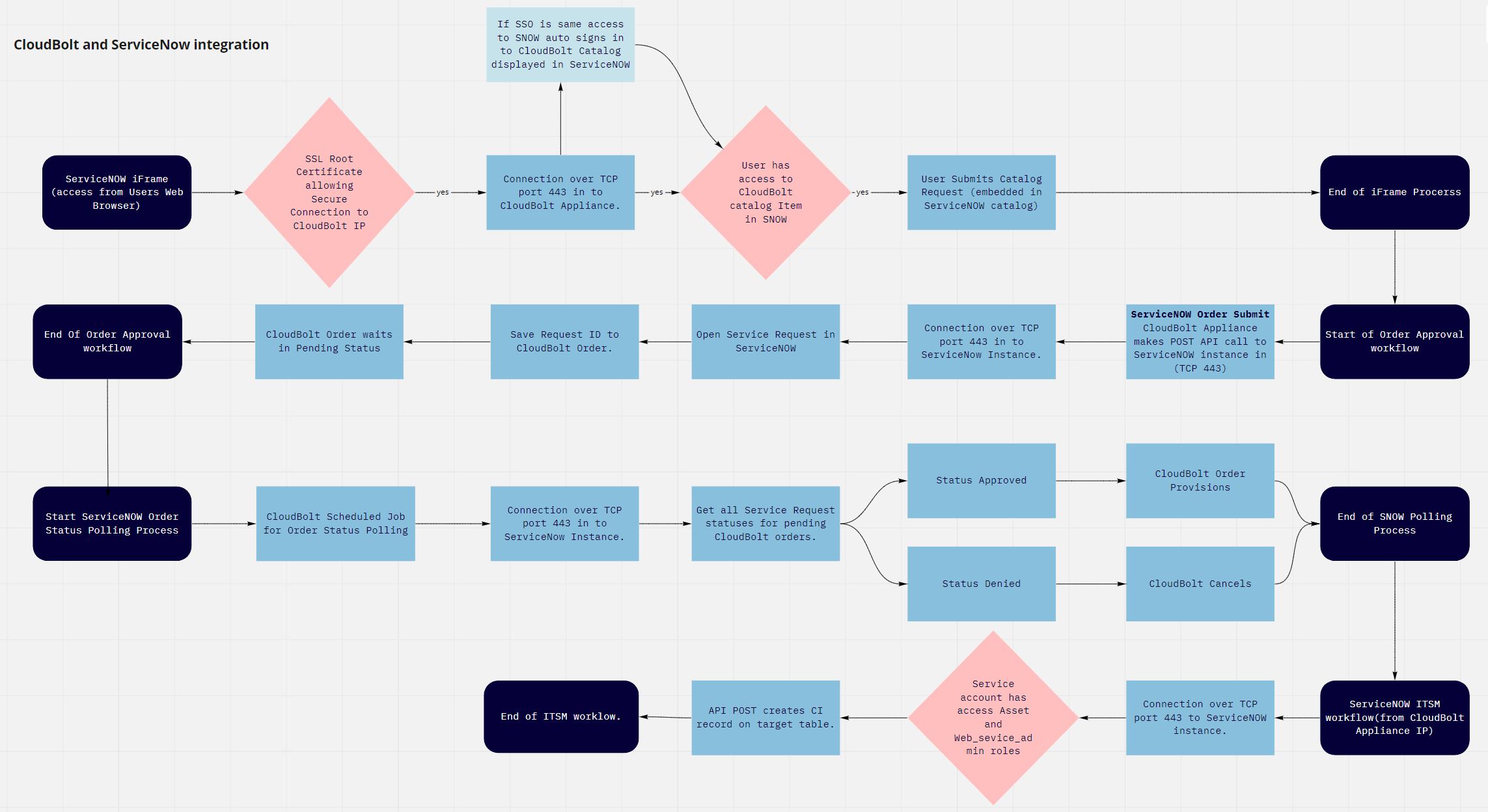
The ServiceNow Service Catalog starts the request management process. When it is enabled, submitting an order in CMP sends the request to ServiceNow instead of ordering immediately:
1. A CMP order triggers a ServiceNow request management hook, which creates a Service Catalog request record in ServiceNow.
1. A ServiceNow user approves or rejects the request.
1. On approval, CMP starts the order as if it were approved through CMP's own approval process.
1. CMP syncs pending order status with ServiceNow using the *Sync CloudBolt Order Status with ServiceNow Catalog Request Status* [recurring job](/docs/cmp/use/orchestration/recurring-jobs/).
The Service Catalog integration is managed on the **Admin** > **ServiceNow** page, which enables the ServiceNow order-submit action and the order-status sync recurring job. This page is available only on environments that already have a ServiceNow integration configured, typically those upgraded from an earlier release; it does not appear on new installations.
The integration relies on these recurring jobs and hooks. Do not rename them, or the integration stops working.