# IT service management (ITSM)
> Manage your IT service management (ITSM) integrations from one place with Cloud Management Platform's (Cloud Management Platform (CMP)) built-in ServiceNow integration
---
Site [llms.txt](/llms.txt)
---
## Configure the ServiceNow integration
Configuring ITSM requires an admin user or a user with high-level permissions.
1. In CMP, go to **Admin** > **ITSM**.
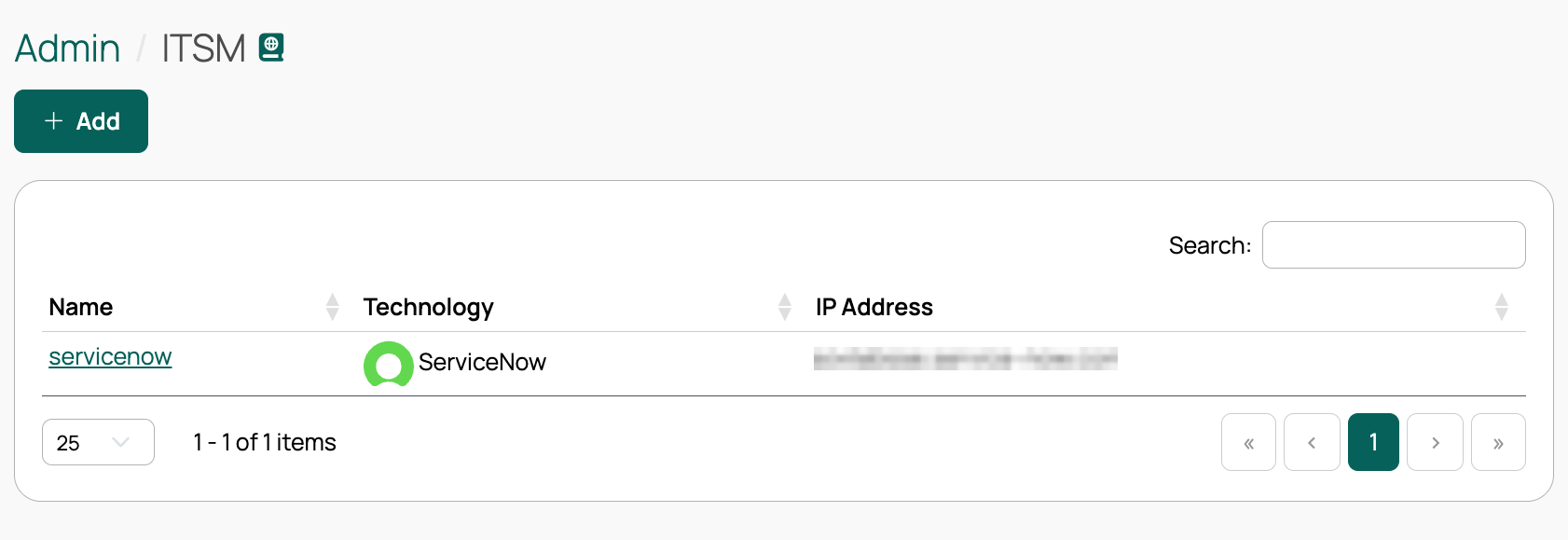
1. Select **Add**.
1. Select **ServiceNow**.
1. Complete the **Create ServiceNow ITSM** form:
| Field | Description |
| --- | --- |
| **Name** | Required. |
| **IP/Hostname** | Required. The address of your ServiceNow instance. |
| **Protocol** | Required. |
| **Account username** | Required. |
| **Password** | Required. If the password vault feature is enabled, this field offers **Locally Stored** or **Vault Managed**. Select **Vault Managed** to read the secret from a configured vault provider. See [Use password vaults](/docs/cmp/configure/access-and-security/security/use-password-vaults/). |
| **Retry interval** and **Retry timeout** | Optional. How CMP retries requests to ServiceNow. |
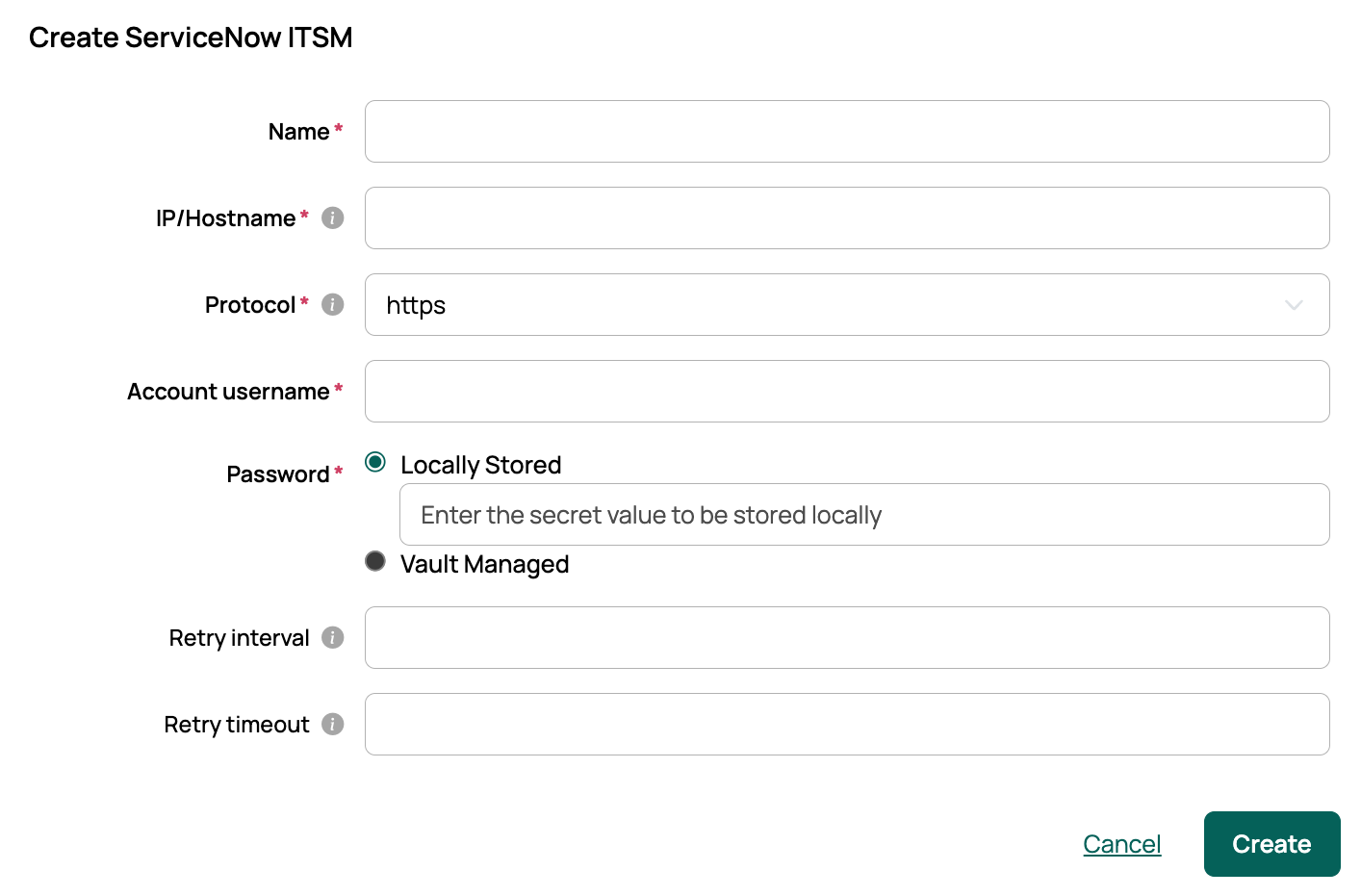
1. Select **Create**. CMP creates the ServiceNow integration and makes its CMDB configuration available.
### Overview tab {#overview-tab-integration}
After you create the integration, CMP opens the **Overview** tab. From here you can edit credentials, remove the integration, or verify the connection to ServiceNow.
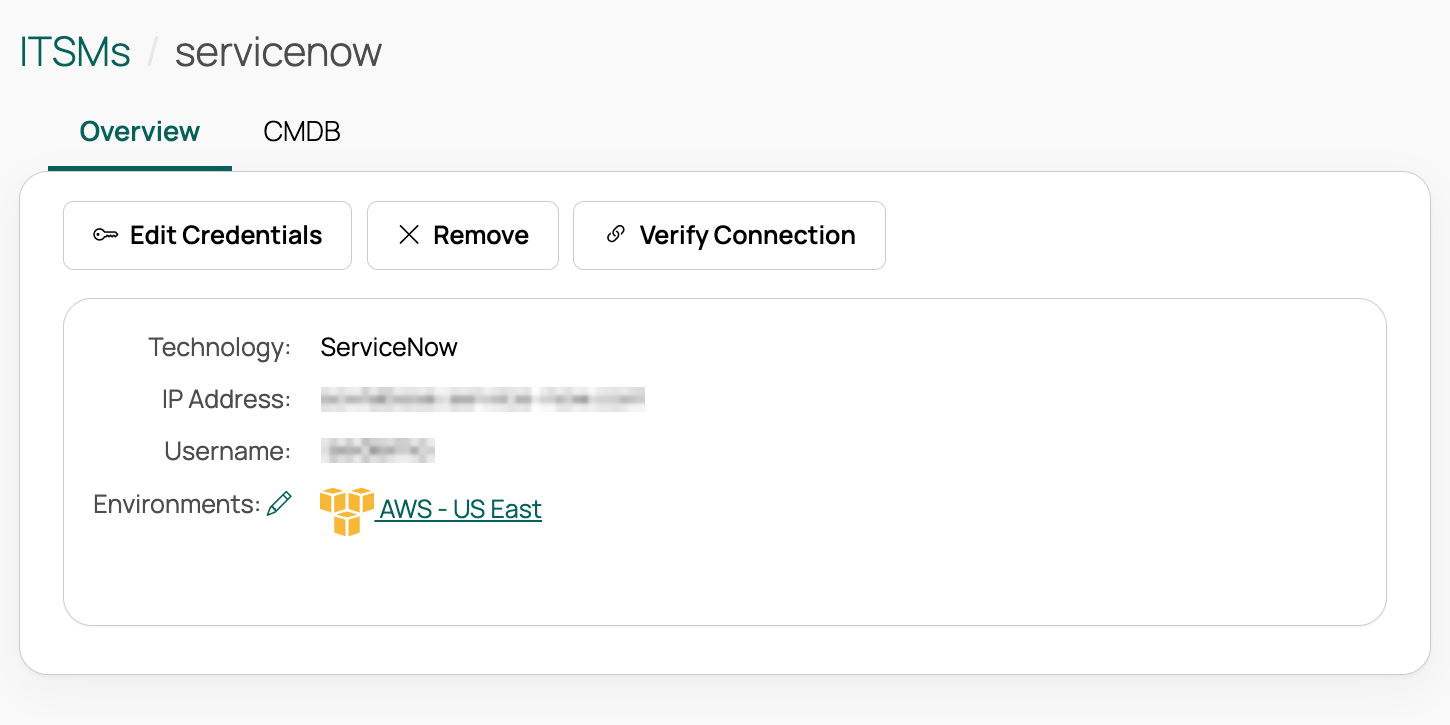
**Required:** Add at least one environment from the Overview tab. The environments you configure here determine the data sets that CMP sends to ServiceNow when a server is provisioned.
## Configure CMDB
The configuration management database (CMDB) must be enabled for the ServiceNow integration to function. When CMDB is enabled, CMP creates a configuration item (CI) in your ITSM instance's CMDB for each newly provisioned server, and archives the CI when you delete the server.
### Enable CMDB and add a configuration
1. From an ITSM integration, select the **CMDB** tab.
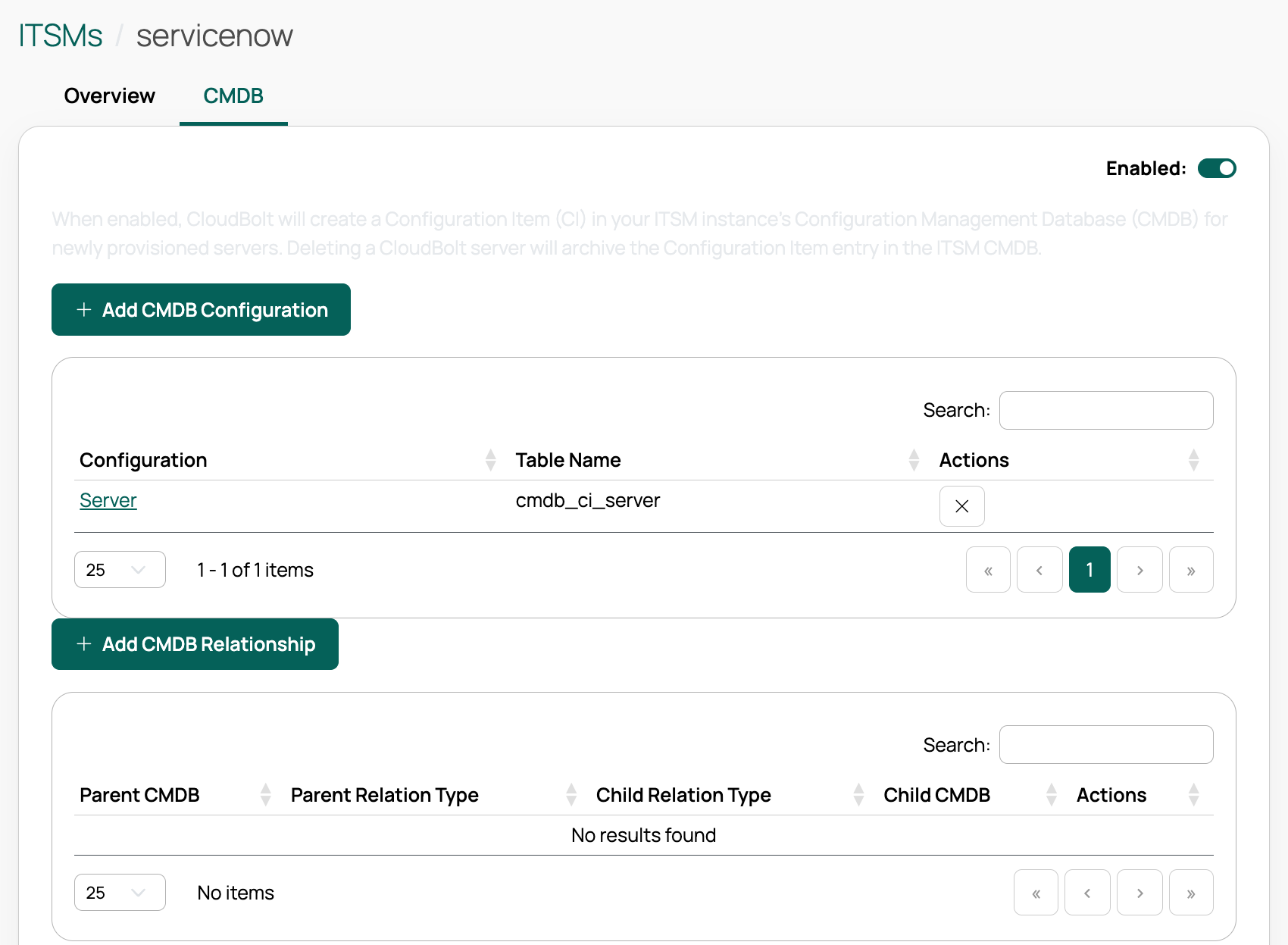
1. Set the CMDB toggle to **Enabled**. CMP then sends server data whenever a server is provisioned, deleted, or otherwise modified.
1. Select **Add CMDB Configuration**. These steps also apply to **Edit CMDB**.
1. Enter the required values:
- A **Name** for the configuration.
- One or more **Environments**. The available environments are those added on the Overview tab.
- A **Table name** for CMDB CI entries. CMP uses this as the entry-point table for the ServiceNow IdentifyReconcile API. Consult your ServiceNow admin for the correct table.
1. (Optional) Narrow the configuration by **OS Build** and/or **Resource Technology**. If you select neither, the configuration applies to any server in its environments that no other configuration matches.
1. (Optional) Select **Always Create CI** to use a configuration that has no OS Build or Resource Technology for every server in its environments, rather than only for servers that no other configuration matches.
1. Select **Create**. The configuration appears under the Configuration heading.
If a ServiceNow CMDB configuration existed before you configured CMDB with ITSM, CMP ignores the legacy ServiceNow CMDB plugin in favor of the ITSM ServiceNow CMDB configuration.
### CMDB configuration tabs
Select the configuration name to open its **Overview** and **Data** tabs.
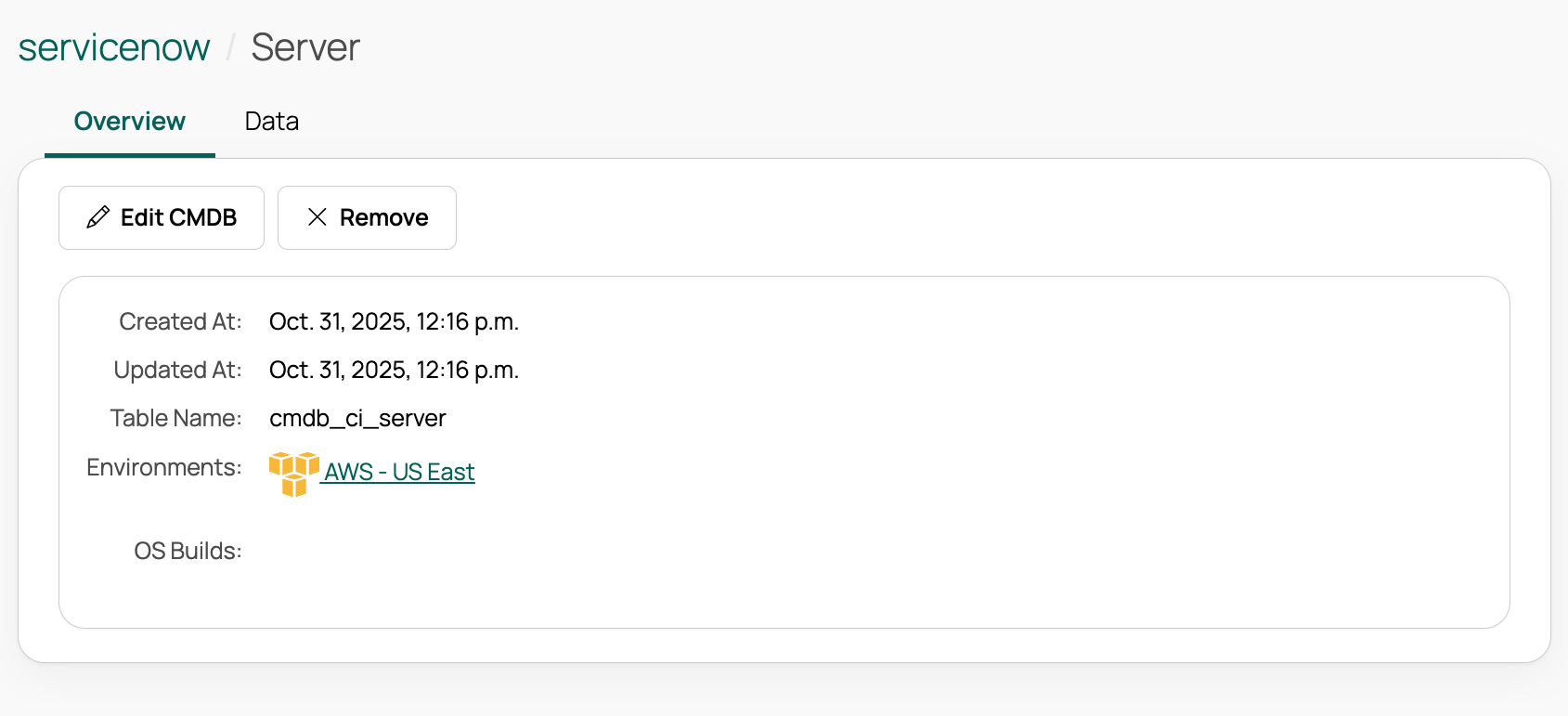
#### Overview tab {#overview-tab-cmdb}
Edit the CMDB configuration, remove it, or view the environment it uses.
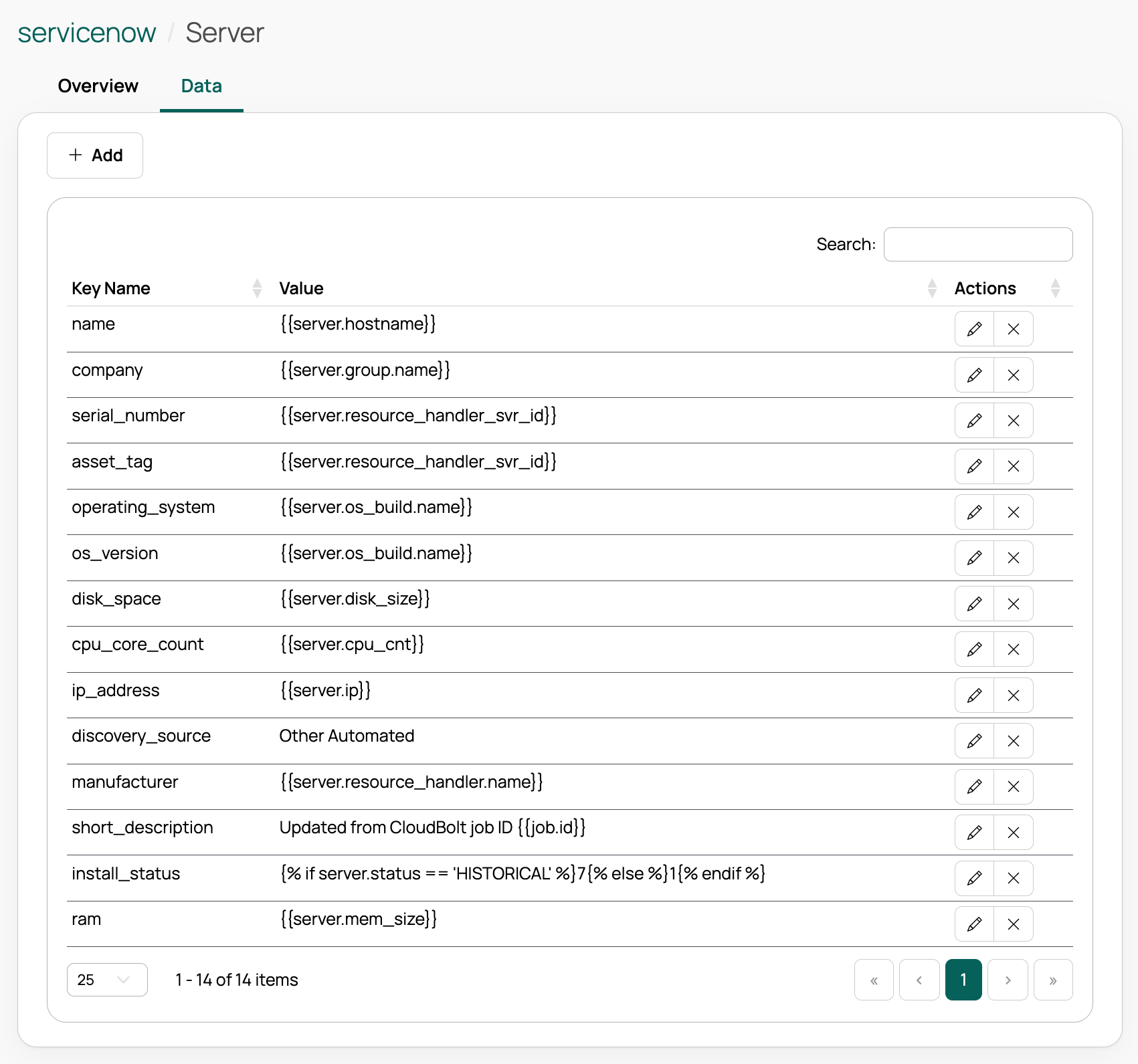
#### Data tab
View and edit the data values that CMP sends to ServiceNow. Admin users can configure JSON payloads and ServiceNow endpoints for each environment and OS, and can expose server, job, environment, and group attributes with minimal coding.
- Edit the built-in key/value pairs.
- Select **Add** to add a data value pair, choosing an object and attribute to pass to ServiceNow.
### Link CI records with CMDB relationships
Define directional relationships between two CMDB configurations so that CMP creates linked CI records in the ServiceNow CMDB. For example, you can relate an application CI to its server CI.
Create at least two CMDB configurations before you add a relationship.
1. On the **CMDB** tab, select **Add CMDB Relationship**.
1. Select the **Parent CMDB** and **Child CMDB** configurations.
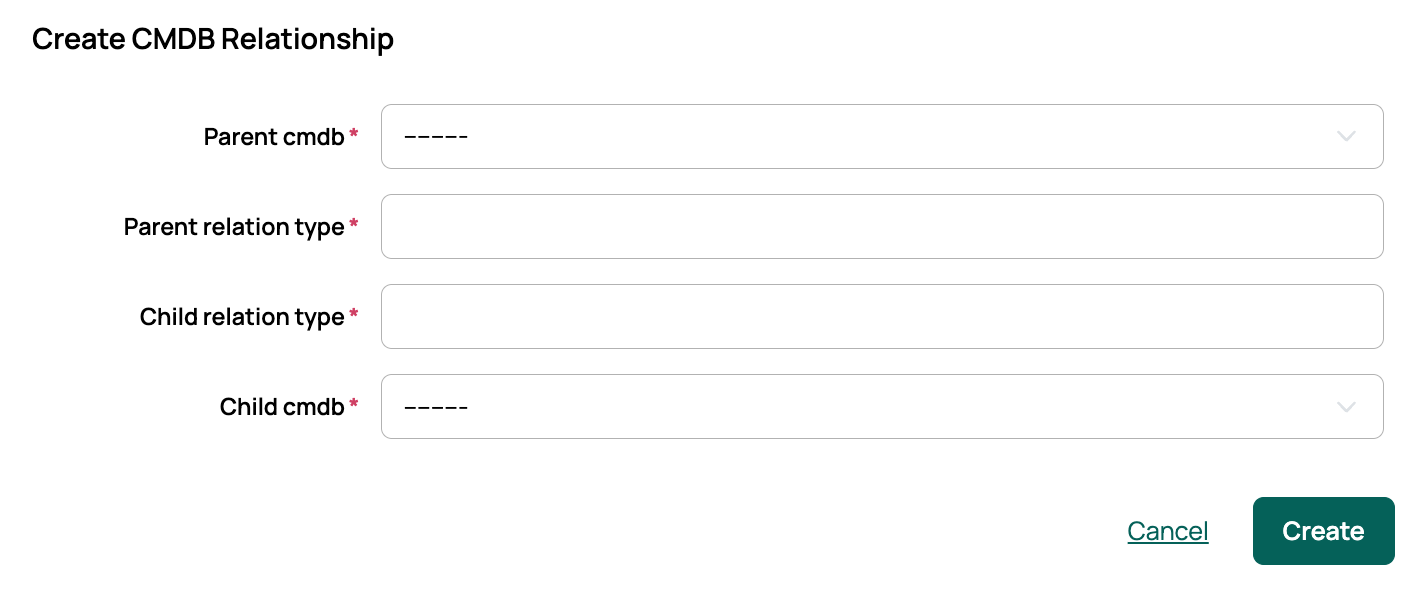
1. Enter the **Parent relation type** and **Child relation type** labels for the two sides of the association, for example, *Runs on* and *Hosted by*. Use the relationship-type names your ServiceNow CMDB expects.
1. Select **Create**. The relationship appears in the CMDB relationships table, where you can edit or delete it.
CMP applies these relationships when it creates or updates the CIs in ServiceNow, so the linked CI records reflect the parent/child associations you defined. A relationship is applied only when both of its configurations apply to the server being provisioned. If a server matches one side but not the other, CMP creates the CIs without the link.
---
Section pages:
- [ServiceNow](/docs/cmp/configure/integrations/it-service-management/servicenow/): Route Cloud Management Platform (CMP) order requests through ServiceNow for approval using the ServiceNow Service Catalog integration
- [Embed in ServiceNow](/docs/cmp/configure/integrations/it-service-management/embed-in-servicenow/): Embed Cloud Management Platform (CMP) in your ServiceNow instance using an iframe, so users can work in CMP without leaving ServiceNow
- [ServiceNow Approval extension](/docs/cmp/configure/integrations/it-service-management/servicenow-approval/): Hold Cloud Management Platform (CMP) orders for approval in ServiceNow, so an order is provisioned only once a ServiceNow approver has signed it off