# Resource handlers
> A resource handler is the connection between Cloud Management Platform (CMP) and a hypervisor or cloud provider
---
Site [llms.txt](/llms.txt)
---
Add one resource handler for each vCenter, cloud account, or subscription you want CMP to work with. CMP then creates, powers on and off, resizes, and deprovisions servers there, and imports existing resources, all through a single interface.
## Supported technologies
You can create a resource handler for any of these technologies. The technology picker groups them into four sections, shown in the order below. Technologies marked as disabled by default do not appear in the picker until enabled, as described in [Enable a resource handler](#enable-a-resource-handler).
### Public Cloud
- [Alibaba Cloud](/docs/cmp/configure/infrastructure/resource-handlers/alibaba-cloud/)
- [Amazon Web Services](/docs/cmp/configure/infrastructure/resource-handlers/aws/)
- [AWS China - 亚马逊](/docs/cmp/configure/infrastructure/resource-handlers/aws/govcloud-and-china/)
- [Azure](/docs/cmp/configure/infrastructure/resource-handlers/azure/)
- [Google Cloud Platform](/docs/cmp/configure/infrastructure/resource-handlers/gcp/)
- [IBM Cloud](/docs/cmp/configure/infrastructure/resource-handlers/ibm-cloud/)
- MacStadium Orka (disabled by default)
- [Oracle Cloud Infrastructure](/docs/cmp/configure/infrastructure/resource-handlers/oracle-cloud-infrastructure/)
- [Outscale](/docs/cmp/configure/infrastructure/resource-handlers/outscale/) (disabled by default)
- [vCloud Director](/docs/cmp/configure/infrastructure/resource-handlers/vmware-cloud-director/) (not installed by default)
### Private Cloud
- [Azure Local](/docs/cmp/configure/infrastructure/resource-handlers/azure-local/) (disabled by default)
- H3C CAS (disabled by default)
- [Hyper-V](/docs/cmp/configure/infrastructure/resource-handlers/hyper-v/)
- [Nutanix Acropolis](/docs/cmp/configure/infrastructure/resource-handlers/nutanix/)
- [OpenShift Virtualization](/docs/cmp/configure/infrastructure/resource-handlers/openshift-virtualization/) (disabled by default)
- [OpenStack](/docs/cmp/configure/infrastructure/resource-handlers/openstack/)
- [Oracle Linux Virtualization Manager](/docs/cmp/configure/infrastructure/resource-handlers/olvm/) (disabled by default)
- [Proxmox Virtual Environment](/docs/cmp/configure/infrastructure/resource-handlers/proxmox-virtual-environment/) (disabled by default)
- [SCVMM](/docs/cmp/configure/infrastructure/resource-handlers/scvmm/)
- VMware Cloud on AWS (disabled by default, and deprecated: use [VMware vCenter](/docs/cmp/configure/infrastructure/resource-handlers/vmware-vcenter/) for new connections)
- [VMware vCenter](/docs/cmp/configure/infrastructure/resource-handlers/vmware-vcenter/)
### Gov Cloud
- Amazon Web Services - JIT (disabled by default)
- [AWS GovCloud (US)](/docs/cmp/configure/infrastructure/resource-handlers/aws/govcloud-and-china/)
- [IBM Cloud for Government](/docs/cmp/configure/infrastructure/resource-handlers/ibm-cloud/#ibm-cloud-for-government)
### Bare Metal
- [IPMI](/docs/cmp/configure/infrastructure/resource-handlers/ipmi/)
- [MAAS](/docs/cmp/configure/infrastructure/resource-handlers/maas/)
- [MetalSoft](/docs/cmp/configure/infrastructure/resource-handlers/metalsoft/)
## Legacy technologies
You cannot create a new resource handler for these technologies. Handlers previously created for them continue to work.
- [Azure Stack](/docs/cmp/configure/infrastructure/resource-handlers/azure-stack/)
- [QEMU-KVM](/docs/cmp/configure/infrastructure/resource-handlers/qemu-kvm/)
- [XenServer](/docs/cmp/configure/infrastructure/resource-handlers/xenserver/)
## Capabilities by technology
The table shows which server features CMP supports for each technology. A dash means the feature is not available. Power covers power on, power off, and reboot. Server stats are the performance statistics on a server's **Stats** tab.
| Technology | Sync VMs | Power | Change CPU / memory | Add disks | Add NICs | Remote scripts | Snapshots | Console | Tags | Server stats |
| --- | --- | --- | --- | --- | --- | --- | --- | --- | --- | --- |
| **Public Cloud** | | | | | | | | | | |
| [Alibaba Cloud](/docs/cmp/configure/infrastructure/resource-handlers/alibaba-cloud/) | ✓ | ✓ | — | — | — | ✓ | — | — | ✓ | — |
| [Amazon Web Services](/docs/cmp/configure/infrastructure/resource-handlers/aws/)¹ | ✓ | ✓ | — | ✓ | — | ✓ | — | — | ✓ | ✓ |
| [Azure](/docs/cmp/configure/infrastructure/resource-handlers/azure/)² | ✓ | ✓ | — | ✓ | — | ✓ | ✓ | — | ✓ | ✓ |
| [Google Cloud Platform](/docs/cmp/configure/infrastructure/resource-handlers/gcp/) | ✓ | ✓ | — | ✓ | — | ✓ | — | — | ✓ | ✓ |
| [IBM Cloud](/docs/cmp/configure/infrastructure/resource-handlers/ibm-cloud/)³ | ✓ | ✓ | — | — | — | ✓ | — | — | — | — |
| MacStadium Orka | ✓ | — | — | — | — | — | — | ✓ | — | — |
| [Oracle Cloud Infrastructure](/docs/cmp/configure/infrastructure/resource-handlers/oracle-cloud-infrastructure/) | ✓ | ✓ | — | ✓ | — | ✓ | — | — | ✓ | — |
| [Outscale](/docs/cmp/configure/infrastructure/resource-handlers/outscale/) | ✓ | ✓ | — | ✓ | — | ✓ | — | — | ✓ | — |
| [vCloud Director](/docs/cmp/configure/infrastructure/resource-handlers/vmware-cloud-director/) | ✓ | ✓ | ✓ | ✓ | ✓ | ✓ | — | ✓ | — | — |
| **Private Cloud** | | | | | | | | | | |
| [Azure Local](/docs/cmp/configure/infrastructure/resource-handlers/azure-local/) | ✓ | ✓ | ✓ | ✓ | ✓ | ✓ | — | — | ✓ | — |
| H3C CAS | ✓ | ✓ | ✓ | ✓ | — | ✓ | ✓ | ✓ | — | — |
| [Hyper-V](/docs/cmp/configure/infrastructure/resource-handlers/hyper-v/) | ✓ | ✓ | ✓ | ✓ | ✓ | ✓ | ✓ | — | — | — |
| [Nutanix Acropolis](/docs/cmp/configure/infrastructure/resource-handlers/nutanix/)⁴ | ✓ | ✓ | \* | \* | \* | ✓ | ✓ | \* | \* | ✓ |
| [OpenShift Virtualization](/docs/cmp/configure/infrastructure/resource-handlers/openshift-virtualization/) | ✓ | ✓ | ✓ | ✓ | ✓ | ✓ | — | — | ✓ | — |
| [OpenStack](/docs/cmp/configure/infrastructure/resource-handlers/openstack/) | ✓ | ✓ | — | ✓ | ✓ | ✓ | — | ✓ | ✓ | ✓ |
| [Oracle Linux Virtualization Manager](/docs/cmp/configure/infrastructure/resource-handlers/olvm/) | ✓ | ✓ | ✓ | ✓ | ✓ | ✓ | ✓ | ✓ | — | — |
| [Proxmox Virtual Environment](/docs/cmp/configure/infrastructure/resource-handlers/proxmox-virtual-environment/) | ✓ | ✓ | — | — | — | — | — | — | — | — |
| [SCVMM](/docs/cmp/configure/infrastructure/resource-handlers/scvmm/) | ✓ | ✓ | — | ✓ | — | ✓ | — | — | ✓ | — |
| VMware Cloud on AWS | ✓ | ✓ | ✓ | ✓ | ✓ | ✓ | ✓ | ✓ | ✓ | ✓ |
| [VMware vCenter](/docs/cmp/configure/infrastructure/resource-handlers/vmware-vcenter/) | ✓ | ✓ | ✓ | ✓ | ✓ | ✓ | ✓ | ✓ | ✓ | ✓ |
| **Bare Metal** | | | | | | | | | | |
| [IPMI](/docs/cmp/configure/infrastructure/resource-handlers/ipmi/) | — | ✓ | — | — | — | ✓ | — | — | — | — |
| [MAAS](/docs/cmp/configure/infrastructure/resource-handlers/maas/) | ✓ | ✓ | — | — | — | ✓ | — | — | — | — |
| [MetalSoft](/docs/cmp/configure/infrastructure/resource-handlers/metalsoft/) | ✓ | ✓ | — | — | — | — | — | — | — | — |
| **Legacy** | | | | | | | | | | |
| [Azure Stack](/docs/cmp/configure/infrastructure/resource-handlers/azure-stack/)² | ✓ | ✓ | — | ✓ | — | ✓ | ✓ | — | ✓ | ✓ |
| [QEMU-KVM](/docs/cmp/configure/infrastructure/resource-handlers/qemu-kvm/) | ✓ | ✓ | — | — | — | — | — | — | — | — |
| [XenServer](/docs/cmp/configure/infrastructure/resource-handlers/xenserver/) | ✓ | ✓ | ✓ | — | — | — | — | — | — | — |
1. Includes AWS GovCloud (US) and AWS China. AWS servers change size with the **Resize VM** server action rather than by editing CPU and memory. See [Resize VMs](/docs/cmp/configure/infrastructure/resource-handlers/azure/resize-vms/). AWS is also the only technology that imports public cloud billing data.
1. Azure and Azure Stack servers change size with the **Resize VM** server action. See [Resize VMs](/docs/cmp/configure/infrastructure/resource-handlers/azure/resize-vms/).
1. Includes IBM Cloud for Government.
1. \* Depends on the handler's Nutanix API version. Changing CPU and memory, adding disks, and adding NICs need v3 or v4.0. The console needs v3. Tags need v4.0.
## Enable a resource handler
Most resource handlers are enabled by default and require no action.
Nine technologies are disabled by default and can be enabled with a feature flag:
- Amazon Web Services - JIT
- Azure Local
- H3C CAS
- MacStadium Orka
- OpenShift Virtualization
- Oracle Linux Virtualization Manager
- Outscale
- Proxmox Virtual Environment
- VMware Cloud on AWS
To enable vCloud Director, run the script described in [Enable the vCloud Director resource handler](#enable-the-vcloud-director-resource-handler) below.
### Enable a feature-flagged resource handler
1. SSH into your CMP server as the root user.
1. Open `/var/opt/cloudbolt/proserv/customer_settings.py` for editing.
1. Add the following line:
```python
from settings import FEATURE_REGISTRY
```
1. Add the corresponding line for your desired resource handler and save the file:
| Resource handler | Setting |
| --- | --- |
| Amazon Web Services - JIT | `FEATURE_REGISTRY["resourcehandler::awsjit"] = True` |
| Azure Local | `FEATURE_REGISTRY["resourcehandler::azurelocal"] = True` |
| H3C CAS | `FEATURE_REGISTRY["resourcehandler::h3ccas"] = True` |
| MacStadium Orka | `FEATURE_REGISTRY["resourcehandler::orka"] = True` |
| OpenShift Virtualization | `FEATURE_REGISTRY["resourcehandler::ovirt"] = True` |
| Oracle Linux Virtualization Manager | `FEATURE_REGISTRY["resourcehandler::olvm"] = True` |
| Outscale | `FEATURE_REGISTRY["resourcehandler::outscale"] = True` |
| Proxmox Virtual Environment | `FEATURE_REGISTRY["resourcehandler::proxmox"] = True` |
| VMware Cloud on AWS | `FEATURE_REGISTRY["resourcehandler::vmc_aws"] = True` |
1. Reset the feature configuration:
```bash
/opt/cloudbolt/manage.py features --reset
```
1. Restart the Apache HTTP Server:
```bash
systemctl restart httpd
```
1. Confirm the flag is active:
```bash
/opt/cloudbolt/manage.py features --list
```
### Enable the vCloud Director resource handler
1. SSH into your CMP server as the root user.
1. Run the following commands:
```bash
cd /opt/cloudbolt/
initialize/create_objects.py initialize/vcloud_director.py
```
## Create a resource handler
Creating a resource handler is read-only and does not change anything in your hypervisor or cloud provider. Only CloudBolt Admins can create one.
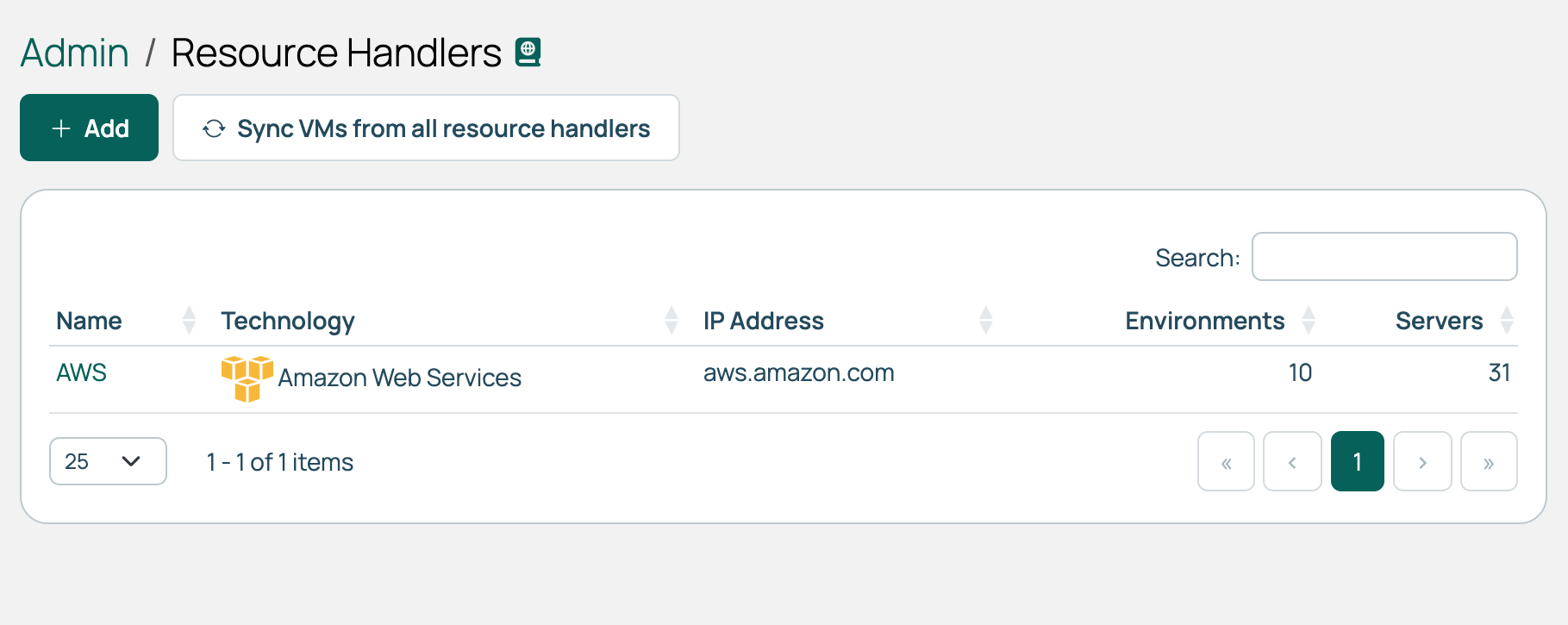
1. Go to **Admin** > **Resource Handlers** and select **Add**.
1. Select the tile for your technology. The tiles are grouped under **Public Cloud**, **Private Cloud**, **Gov Cloud**, and **Bare Metal**. To search across all of them, type a provider name in **Filter providers**.
1. Enter the credentials for your chosen technology. See the individual resource handler pages for the fields each one needs.
1. Select **Continue**.
1. Name the resource handler, set its remaining options, then select **Done**.
A technology is missing from the picker in two cases: it is disabled by default and not yet enabled, or it is IPMI and one already exists. CMP supports a single IPMI resource handler.
## Resource handler ID
Each resource handler has a numeric ID that appears in its URL. Plugin code uses this ID to look up a handler, as the test in [Check infrastructure health with CIT](/docs/cmp/use/orchestration/cit/infrastructure-health-checks/) does.
Locate a resource handler ID.
1. Select **Admin** > **Resource Handlers**.
1. Select a resource handler name.
1. In the URL, note the number following `resourcehandlers/`
The REST API identifies a handler differently, by a global ID beginning with `RH-`. Read it from the `resourceHandlers` endpoint rather than from the URL. See [REST API](/docs/cmp/developer-resources/rest-api/).
## Delete a resource handler
Deleting a resource handler removes it from CMP. Nothing in your hypervisor or cloud provider changes; the virtual machines, networks, and other resources there remain as they are.
If no environments or servers are using the handler, the dialog asks only for confirmation.
If any are using it, the dialog reports how many and requires you to clear them first. Selecting the checkbox marks those server records as historical and removes those environments from CMP, and **Delete** stays disabled until you select it. The servers in your hypervisor or cloud provider are not affected, and imported networks are not deleted.
---
Section pages:
- [Alibaba Cloud](/docs/cmp/configure/infrastructure/resource-handlers/alibaba-cloud/): An Alibaba Cloud resource handler connects to a single Alibaba Cloud region and manages the servers, images, and networks in it
- [AWS](/docs/cmp/configure/infrastructure/resource-handlers/aws/): An AWS resource handler maintains a connection to a single Amazon Web Services account
- [Azure](/docs/cmp/configure/infrastructure/resource-handlers/azure/): An Azure resource handler connects Cloud Management Platform (CMP) to an Azure subscription
- [Azure Local](/docs/cmp/configure/infrastructure/resource-handlers/azure-local/): An Azure Local resource handler connects Cloud Management Platform (CMP) to an Azure Local cluster
- [Azure Stack](/docs/cmp/configure/infrastructure/resource-handlers/azure-stack/): An Azure Stack resource handler connects Cloud Management Platform (CMP) to an Azure Stack endpoint
- [Google Cloud Platform (GCP)](/docs/cmp/configure/infrastructure/resource-handlers/gcp/): A GCP resource handler maintains a connection to Google Cloud and manages the projects, servers, networks, and images within it
- [Hyper-V](/docs/cmp/configure/infrastructure/resource-handlers/hyper-v/): Connect Cloud Management Platform (CMP) to a standalone or clustered Hyper-V instance
- [IBM Cloud](/docs/cmp/configure/infrastructure/resource-handlers/ibm-cloud/): An IBM Cloud resource handler connects to an IBM Cloud account and manages its data centers, networks, and servers
- [IPMI](/docs/cmp/configure/infrastructure/resource-handlers/ipmi/): An IPMI resource handler lets Cloud Management Platform (CMP) power physical servers on and off through each server's baseboard management controller (BMC)
- [MAAS](/docs/cmp/configure/infrastructure/resource-handlers/maas/): A MAAS resource handler connects Cloud Management Platform (CMP) to Canonical Metal as a Service (MAAS) and provisions physical machines, or virtual machines on MAAS VM hosts
- [MetalSoft](/docs/cmp/configure/infrastructure/resource-handlers/metalsoft/): A MetalSoft resource handler connects Cloud Management Platform (CMP) to MetalSoft and provisions physical servers from its server types and OS templates
- [Nutanix](/docs/cmp/configure/infrastructure/resource-handlers/nutanix/): A Nutanix resource handler connects Cloud Management Platform (CMP) to a Nutanix Prism endpoint and manages the virtual machines on the clusters behind it
- [OpenShift Virtualization](/docs/cmp/configure/infrastructure/resource-handlers/openshift-virtualization/): An OpenShift Virtualization resource handler connects Cloud Management Platform (CMP) to a Red Hat OpenShift cluster and manages the virtual machines OpenShift Virtualization runs there
- [OpenStack](/docs/cmp/configure/infrastructure/resource-handlers/openstack/): An OpenStack resource handler connects Cloud Management Platform (CMP) to an OpenStack cloud through its Identity (Keystone) service and manages the instances in the projects you import
- [Oracle Cloud Infrastructure](/docs/cmp/configure/infrastructure/resource-handlers/oracle-cloud-infrastructure/): An OCI resource handler connects to a single Oracle Cloud region and manages its servers and images
- [Oracle Linux Virtualization Manager](/docs/cmp/configure/infrastructure/resource-handlers/olvm/): An Oracle Linux Virtualization Manager (OLVM) resource handler connects Cloud Management Platform (CMP) to an OLVM engine and manages the virtual machines in its clusters
- [Outscale](/docs/cmp/configure/infrastructure/resource-handlers/outscale/): An Outscale resource handler connects to a single Outscale region and manages its servers, images, networks, and VPCs
- [Proxmox Virtual Environment](/docs/cmp/configure/infrastructure/resource-handlers/proxmox-virtual-environment/): A Proxmox Virtual Environment resource handler connects Cloud Management Platform (CMP) to a Proxmox VE server and provisions virtual machines from its templates
- [QEMU-KVM](/docs/cmp/configure/infrastructure/resource-handlers/qemu-kvm/): A QEMU-KVM resource handler connects Cloud Management Platform (CMP) to a KVM host over SSH
- [SCVMM](/docs/cmp/configure/infrastructure/resource-handlers/scvmm/): Connect Cloud Management Platform (CMP) to Microsoft System Center Virtual Machine Manager (SCVMM) to provision and manage Hyper-V virtual machines
- [VMware Cloud Director](/docs/cmp/configure/infrastructure/resource-handlers/vmware-cloud-director/): A VMware Cloud Director resource handler connects to a Cloud Director installation and manages the servers in its virtual data centers
- [VMware vCenter](/docs/cmp/configure/infrastructure/resource-handlers/vmware-vcenter/): A VMware vCenter resource handler connects to a vCenter server and manages the templates, networks, datastores, and virtual machines in its clusters
- [XenServer](/docs/cmp/configure/infrastructure/resource-handlers/xenserver/): A XenServer resource handler connects Cloud Management Platform (CMP) to a XenServer host or pool